
We've all been there before. You clear a notification in the moment because you're busy and then you come back to your phone twenty minutes later, and it's gone. The message, the delivery alert, and the reminder all dismissed and unrecoverable. Android 11 added a basic notification history to the settings menu, but it's rudimentary: a flat list with no search, no filtering, and no way to organize what you're looking at.
NotiStar is the notification organizer that Samsung should have shipped.
It's a module in Samsung's Good Lock suite, and it turns notification history from a vague list into a purpose-built archive you can actually navigate.
What is NotiStar?
NotiStar is a free Good Lock module that saves dismissed notifications to a searchable archive. It comes with per-app retention controls, keyword-filtered pages, and an optional lock screen shortcut for one-tap access. You set which apps have their notifications saved, how long the archive keeps entries, and what keyword filters automatically sort specific notifications into their own view.
How NotiStar's notification archive and keyword filters work
The core function is straightforward: Your notifications save when dismissed, and you can search the archive by keyword at any time. Search by a contact name, a subject line, a dollar amount, an order number—anything that would have appeared in the notification text—and you'll find the exact entry instantly.
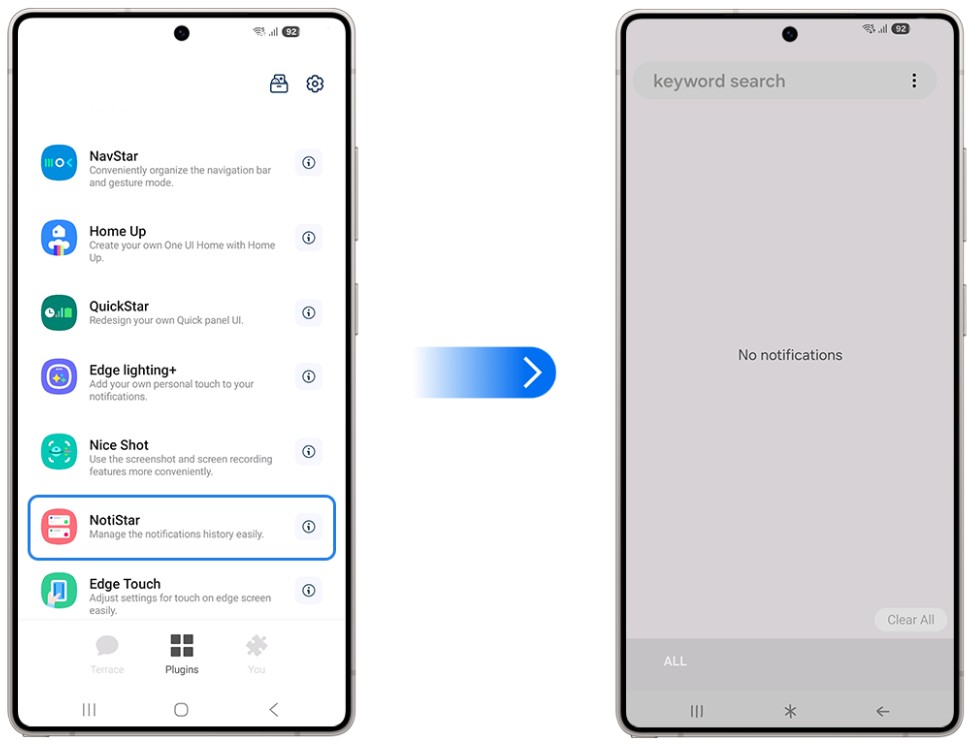
Image: Samsung
The keyword-filtered pages are the feature that makes this genuinely powerful rather than just useful. You create a filter—say, any notification containing "payment" or "shipped"—and NotiStar automatically routes matching notifications into their own dedicated view. If you're tracking packages, managing work messages, or monitoring financial alerts across multiple apps, each category gets its own tab. You never have to dig through a mixed chronological log to find what you're looking for.
Per-app controls mean you're not saving everything. You can exclude the apps that spam you with low-value notifications and only archive the ones that actually matter. The retention period is also configurable—set it to a week, a month, or longer depending on how far back you need to look.
The NotiStar lock screen shortcut that gets you to dismissed notifications faster
NotiStar lets you add a shortcut icon directly to your lock screen, giving you one-tap access to the notification archive without unlocking the device. The icon's location and color are both customizable.
This matters because you'll often need to check a dismissed notification when you're in a hurry—like checking in at a restaurant, joining a meeting, or entering an event. Having the archive accessible without going through the full unlock sequence removes the friction right when you need it to.
Who needs NotiStar
The honest answer is for most people who've ever said, "Wait, what did that notification say?" NotiStar will save you from regret if you're someone who clears notifications aggressively during the day and then needs to track something down afterward. Never wonder again what happened to delivery updates, payment confirmations, or even messages from specific contacts.
It's also genuinely useful for tracking notification timing, something the stock notification history doesn't easily show. If you need to verify when an alert actually came in, NotiStar gives you the exact timestamp.
How to get NotiStar
- Cost: Free
- Available on: Samsung Galaxy devices via the Galaxy Store or Google Play
- Requires: Good Lock main app installed first
- One UI compatibility: One UI 4.0 and above
NotiStar only works on Galaxy phones. Here are the best phones to run it on.
NotiStar only works on Samsung Galaxy devices, so if you're not already in the ecosystem, here are the most popular Galaxy phones worth considering:
Moto G 5G (2025) 128GB
- 6.7 inch display
- Rear Cameras: 50MP, 2MP
- Front Camera: 16MP

Moto G 5G (2026) 128GB
- 6.7 inch display
- Rear Cameras: 50MP, 2MP
- Front Camera: 32MP

Galaxy A26 5G
- 6.7 inch display
- Rear Cameras: 50MP, 8MP, 2MP
- Front Camera: 13MP

Moto G Power (2025) 128GB
- 6.8 inch display
- Rear Cameras: 50MP, 8MP
- Front Camera: 16MP
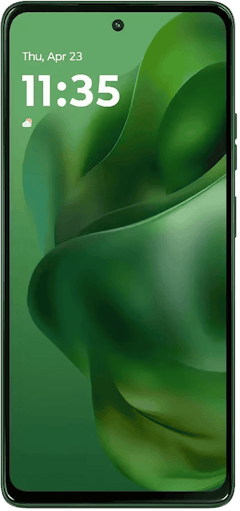
Edge (2025) 256GB
- 6.7 inch display
- Rear Cameras: 50MP, 50MP, 10MP
- Front Camera: 50MP
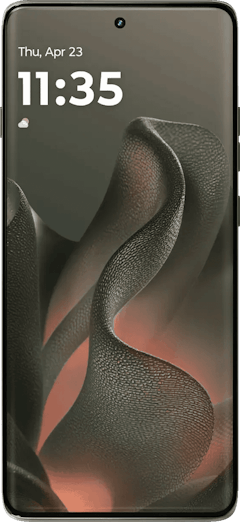

NotiStar: FAQ
How is NotiStar different from Android's built-in notification history?
NotiStar goes well beyond Android's built-in notification history: Where the default history is flat, unsearchable, and clears after 24 hours, NotiStar adds searching, keyword filtering, per-app controls, configurable retention periods, and a lock screen shortcut.
Can NotiStar save notifications from all apps?
NotiStar lets you choose which apps are included in the archive, so you can capture everything or limit it to the specific apps whose notifications you actually care about recovering.
Does NotiStar work when the phone is in Do Not Disturb mode?
NotiStar archives notifications regardless of Do Not Disturb status, so silent or suppressed alerts are still captured and searchable.
How long does NotiStar keep saved notifications?
NotiStar's retention period is fully configurable—you set how long entries stay in the archive, from a few days up to several months, depending on your preference.
Does NotiStar drain the battery?
NotiStar's battery impact is negligible—it's a lightweight Samsung module with minimal background processing compared to the notification system already running on your device.
Scott Houghton
Jr. Staff Writer

Find a better phone plan
Thousands of cell phone plans unpacked. All the facts. No surprises.


.png?w=280&h=280&usm=20&usmrad=0.8&fit=crop "The Best Family Cell Phone Plans for 2026")


.png?w=280&h=280&usm=20&usmrad=0.8&fit=crop "Best Cell Phone Coverage in West Virginia")


