
There are many small adjustments you can make to stretch your phone’s battery life throughout the day, like turning on “low power mode” and dimming your screen. But if you’re consistently low on juice, then you might want to consider strategies for improving your battery’s health in the long run.
Let’s go over how to make your phone battery last longer, including tips for extending your charge throughout the day (and night), as well as solutions for improving your phone battery’s overall performance and health.
Why is my phone battery draining so fast?
There are many reasons why your phone battery may be draining fast. First and foremost: Your overall system usage. Certain apps, activities, and settings can drain your battery (and your mobile data) faster than others.
For a breakdown of what specific apps have used up your battery recently, you can go to your phone’s settings:
- On an iPhone, go to Settings > Battery.
- On an Android device, go to Settings > Battery > Battery usage.
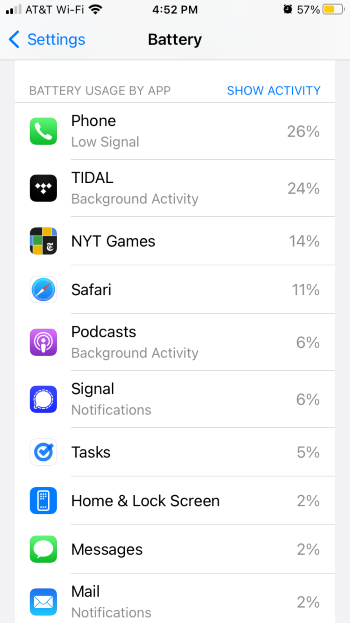
It’s helpful to figure out which of your apps are serious battery eaters.
Image: Lauren Hannula | WhistleOut
Your operating system’s settings, such as push notifications and screen brightness, can also significantly impact how long your battery lasts. The same applies to certain ambient conditions, such as extreme heat, cold, or prolonged periods of poor mobile coverage. We’ll go over methods for adjusting your phone settings to solve many of these issues below.
There is also the issue of your battery’s age and health. As phone batteries age, they tend to degrade and become less efficient (honestly, very relatable). One engineer on Reddit likened a lithium battery to a sponge that, over time, is able to hold less and less water. We’ll go over how to check your phone battery’s health below.How to improve your phone's battery life
Here are some of the best tips and settings to save battery life throughout the day.
Update your phone's software
No matter which phone you have, it’s smart to make sure you are diligent about downloading the latest software update. Software updates often include various fixes that help to improve battery health and performance. Hint: if you don’t want to drain your battery, make sure you plug your phone into your charger while downloading the update!
Use optimized charging
For reasons we won’t get into here, charging your phone battery to 100% capacity can actually make your battery degrade faster. This is why all modern smartphones have a built-in battery management system and an “optimized charging” feature. These features make it so that your phone will only charge to 80% of capacity, unless you really need that last 20%.
We recommend turning on optimized charging on your iPhone or Android device, unless you’re absolutely sure that you don’t need it. It will make your battery perform better in the long run.
To save battery on an iPhone, use the “Optimized Battery Charging” feature by going to Settings > Battery > Battery Health & Charging.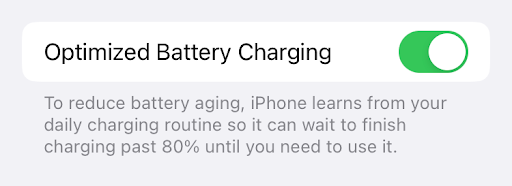
You can turn on your iPhone's Battery optimization setting.
Image: Lauren Hannula | WhistleOut
To save battery on an Android phone, use the “Adaptive Charging” setting by going to Settings > Battery > Battery Protection > Adaptive Charging.
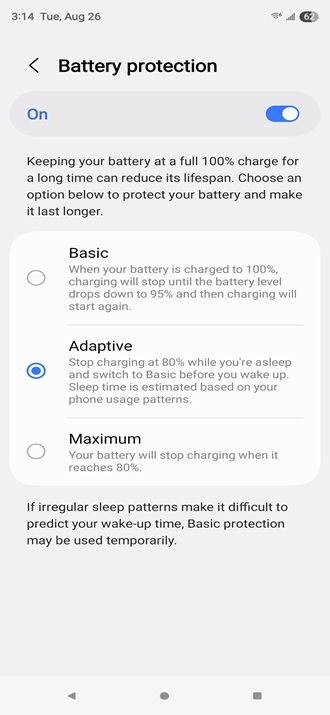
Image: Scott Houghton | WhistleOut
Buy an external power bank or battery case
One of the easiest ways to prevent your phone from dying is to invest in a portable battery charger or a battery phone case. These devices are getting smaller, more efficient, and more affordable every year.
Here are some of our favorite external power banks and battery cases for Android and Apple devices.
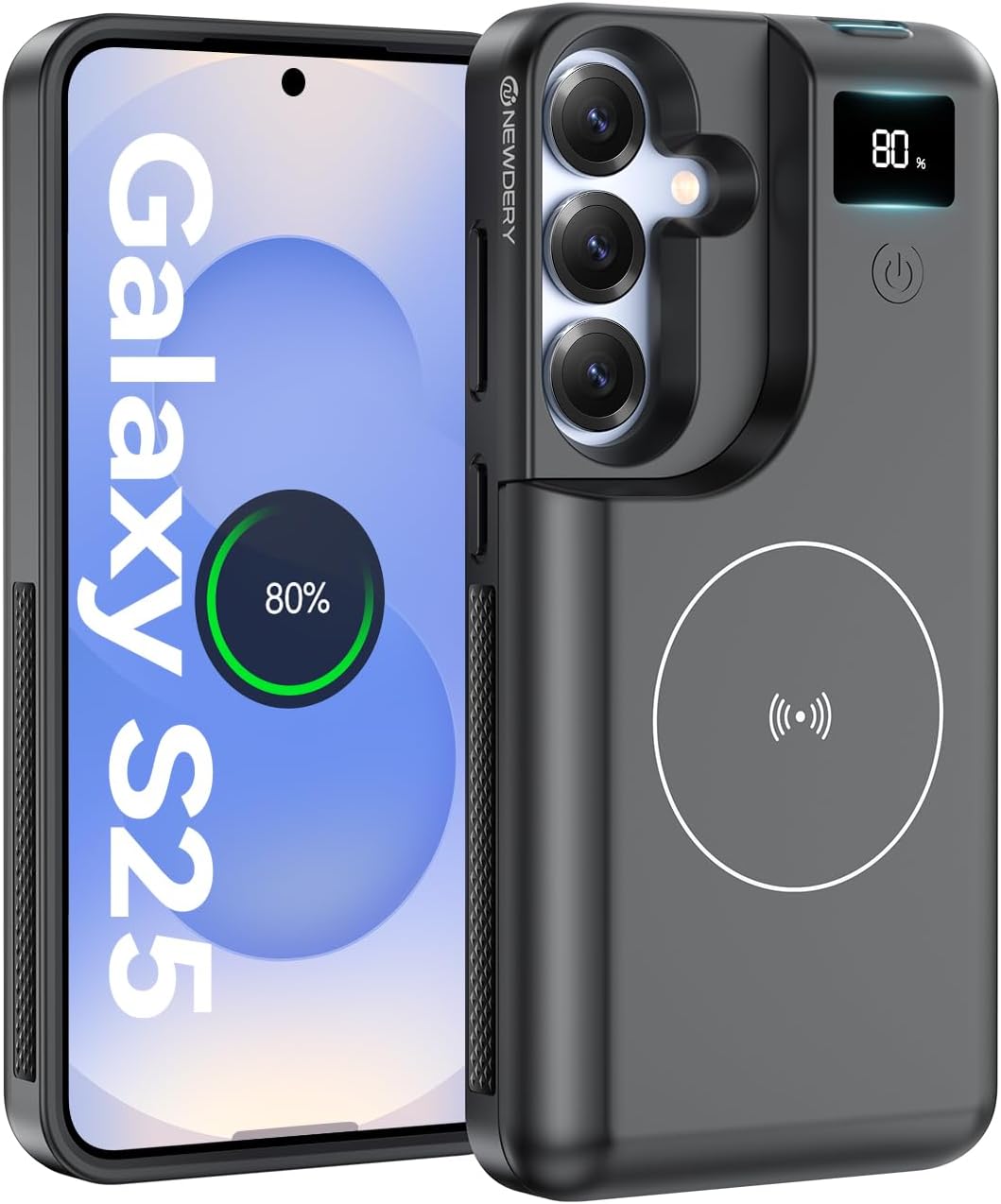
NEWDERY battery case for
Samsung Galaxy
The NEWDERY battery case for the Galaxy S25 comes with an 8000mAh built-in battery, giving you significantly more use time before you need to recharge. It supports both USB-C fast charging and wireless charging. On top of that, the LED back display shows the case's exact battery level so you always know how much charge you have. Built with raised edges and a durable shell, it also adds everyday protection against drops and scratches.
View on Amazon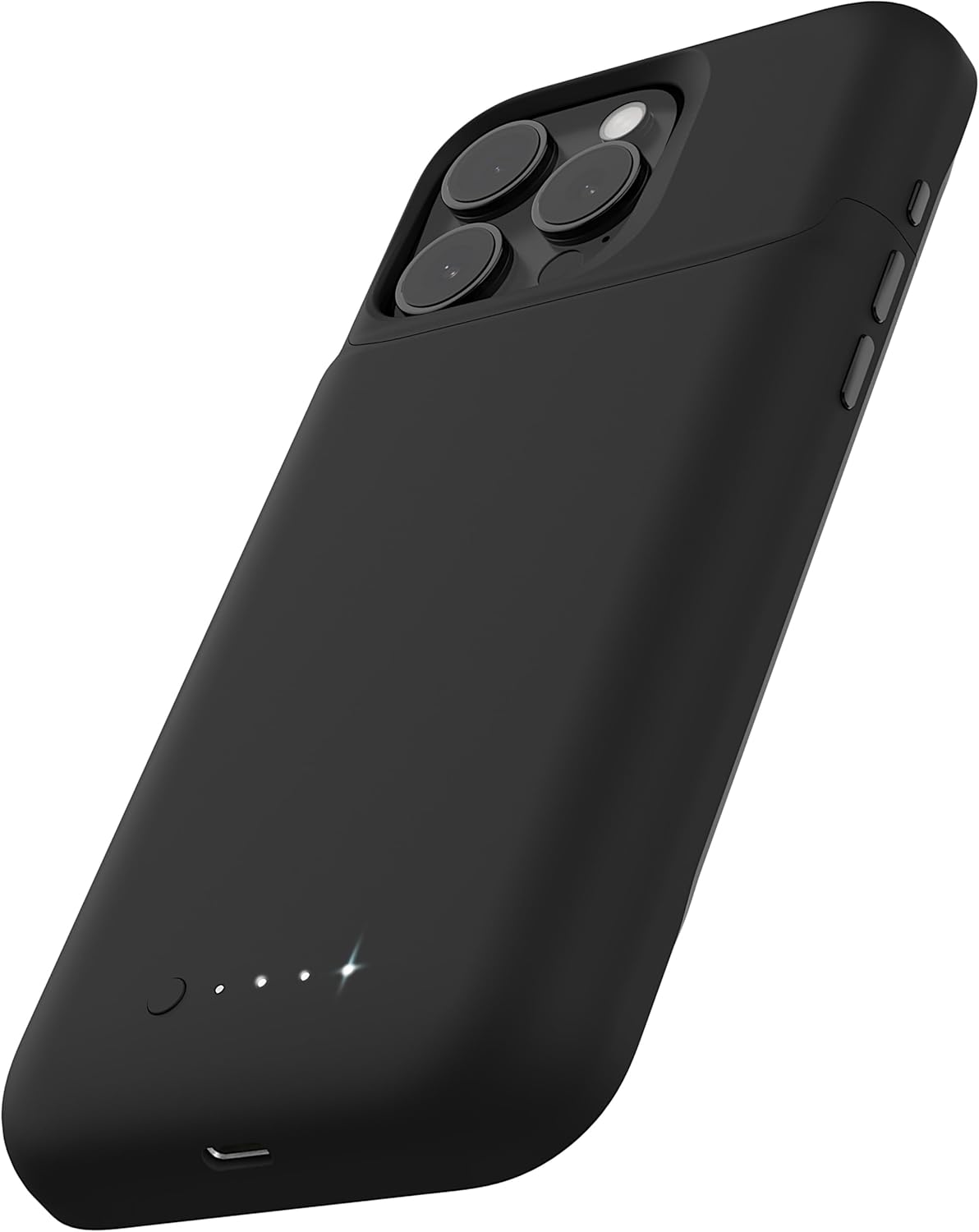
Mophie Juice Pack battery case for iPhone
The Mophie Juice Pack adds up to 50% more battery life to your iPhone 16, giving you extra hours of use when you're away from your charger. The case is slim enough to fit in your pocket while strong enough to protect your phone against everyday drops. The case is MagSafe compatible, charges your phone before topping up its own battery, and uses USB-C for simple recharging.
View on Amazon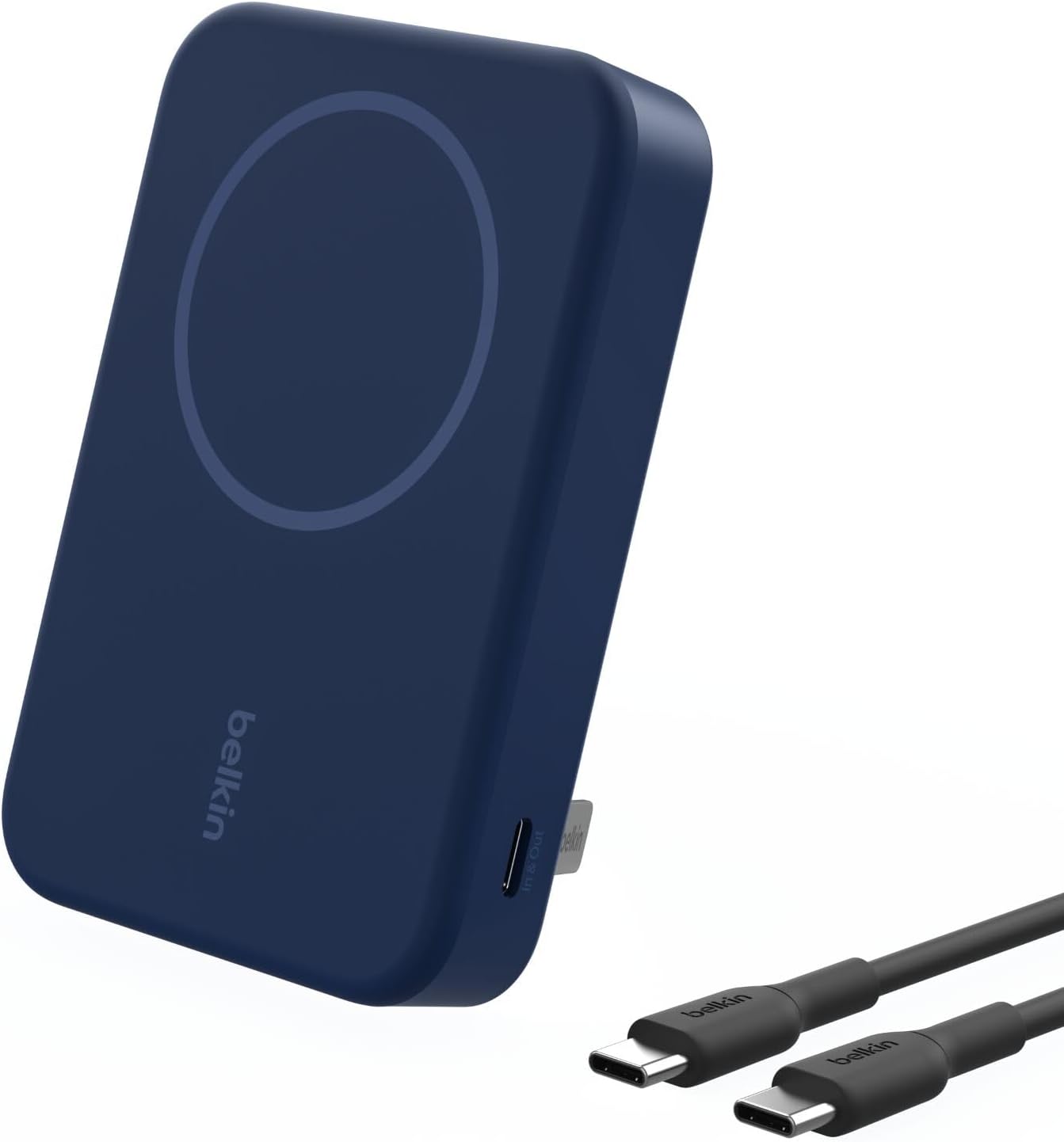
Belkin wireless portable
battery bank
This 10,000mAh power bank provides up to 35 additional hours of phone use and supports both wireless and USB-C fast charging. Its slim, portable design makes it easy to carry, and the built-in magnet keeps your phone aligned properly on the device for efficient charging.
View on AmazonLimit which apps use location services
We’re here to debunk one of the most prevalent cell phone myths: Background apps don’t actually cause battery drain. In most cases, you can keep your apps open without them wasting all your juice. However, there can be an issue with those apps using location services in the background when you’re not actively using them.
Luckily, you can customize which apps use your phone’s location services, as well as when they do so. You don’t need to have access to your location enabled for every app; for those that do rely on location services, such as Google Maps or Uber, you don’t need to have them enabled 24/7.
Head to your phone’s Location Services settings to customize which apps you allow to access your location. You can choose “Never,” “Ask Next Time,” or “While Using the App.”
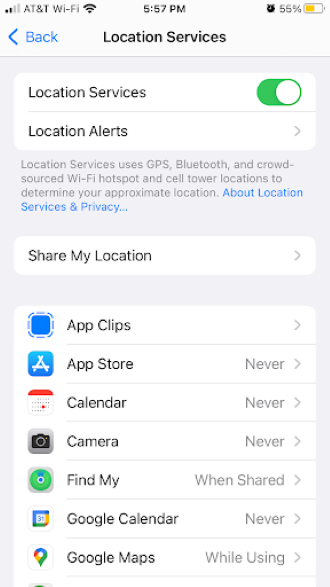
Customize which apps can track your location, and how often.
Image: Lauren Hannula | WhistleOut
The process is practically the same on Android phones. You'll just head over to your phone’s Location Services settings to customize which apps you allow to access your location. On Android, you have to option to set each app as “Not Allowed,” “While App is in Use”, or "All the Time."
Keep your phone at room temperature
Yes, an overheating phone and a drained battery can be related. If you’ve ever felt like your phone has a fever, it’s probably draining its battery life very quickly and could even become permanently damaged.
There are several culprits that can cause an overheated phone, including:
- Prolonged usage.
- Graphics-heavy, high-CPU mobile games.
- Environmental factors (like excessive exposure to direct sunlight).
If you feel your phone getting too hot, stop using it and put it in a shady, cool area until it cools down. Similarly, if your phone feels frozen solid, warm it up until it reaches room temperature.
How to save battery when you're running low
Most of the tips we’ve discussed here are preventive: They help improve battery health and performance in the long run. But what if you’re out at a bar or a baseball game and your phone is dying right now?
Here are some quick ways to make your battery last another hour or two so that you can still document your team’s winning home run or text your partner to say you’ll be home late.
- Turn on “Low Power Mode” or battery saver mode.
- Turn off push notifications.
- Dim your screen.
- Turn on airplane mode.
- Make sure your phone is charging correctly.
- Turn on Autolock.
If you have a charger with you but it’s not charging your phone quickly enough, check out our tips for charging your phone faster.
When to replace your phone battery
As we mentioned above, batteries lose health over time. If you have any phone long enough, you’ll eventually want to replace the battery.
Battery health is usually measured by its "maximum capacity,” which is expressed as a percentage of its power compared to when it was brand new. If your battery’s maximum capacity is 81%, for example, it means that when fully charged, it holds 81% as much power as it did when it was fresh from the manufacturer.
Generally speaking, you should replace your battery once its maximum capacity drops below 80%.
How to check your battery's health
To check your maximum capacity on an iPhone, go to Settings > Battery Health & Charging > Maximum Capacity percentage.
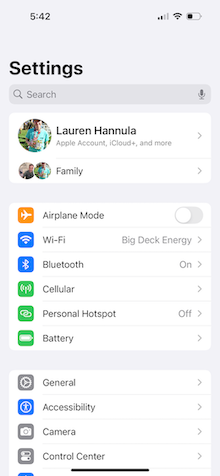
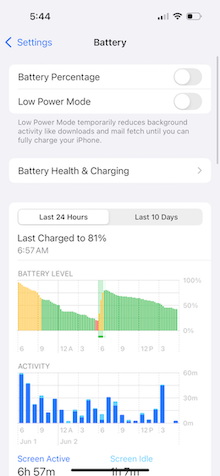
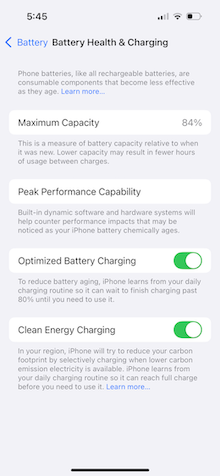
My iPhone's maximum battery capacity is almost low enough to warrant a replacement.
Image: Lauren Hannula | WhistleOut
Different Android devices have different methods for checking your phone’s battery health, depending on your phone's manufacturer. On a Samsung Galaxy Z Fold5 for example you'll need to open the Samsung Member's app > Diagnostics > Phone Diagnostics > Run Test. You will be prompted to run 22 different diagnostic tests, but to check your battery health, you'll only need to run the "Battery Status" test.
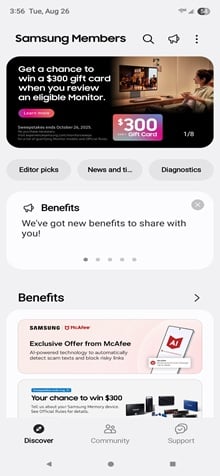
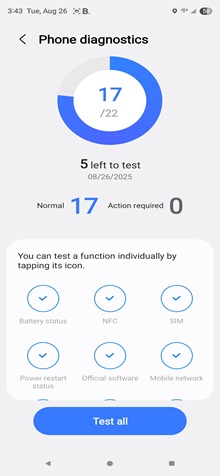
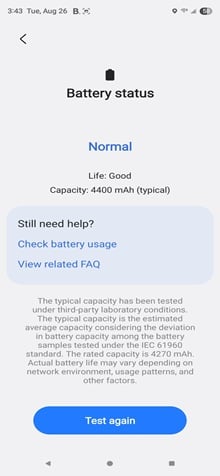
Samsung grades battery health as: Good (75% or above), Normal (55%-75%), or Bad (below 55%).
Image: Scott Houghton | WhistleOut
Keep in mind however, that each Android manufacturer will have a different method for checking your phone's battery health. If you are having trouble finding the maximum battery capacity on your Android device, you can use a third-party app, like AccuBattery.
Phones with the best battery life
Every year, phone battery technology gets a little better. As such, the latest models tend to pack the most juice, especially those ones with “Plus” or “Pro” or “Max” in their name.
Here’s a look at some of our favorite phones with long-lasting batteries.

Apple iPhone 16 Pro Max—Up to 27 hours of continuous video playback
Apple's iPhone 16 Pro Max is built for people who want a phone that can keep up all day—and then some. With up to 27 hours of video playback, it's one of the longest-lasting iPhones ever. It also features Apple's new A18 Pro chip and an upgraded iPhone 16 camera system. The result is a device built to handle heavy streaming and everyday use without constant battery anxiety.
See Details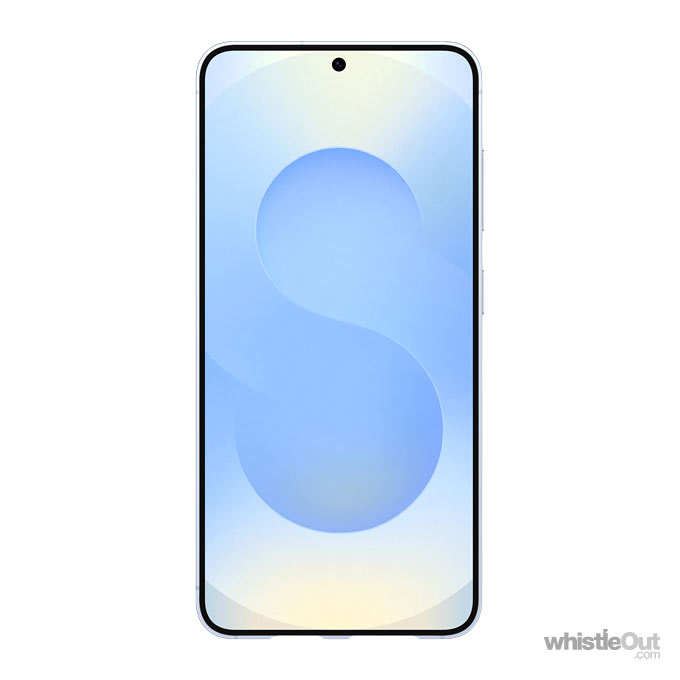
Samsung Galaxy S25+—Up to 29 hours of continuous video playback
Samsung’s Galaxy S25+ is more than just long-lasting—it's smarter than ever. With up to 29 hours of continuous video playback, it leads the Galaxy lineup in battery life. But the standout feature is Samsung's mobile AI which boosts everything from photo editing to multitasking, making the phone feel faster and more inutitive in daily use. Pair that with a 6.2" Dynamic AMOLED 2X FHD+ display, a 50MP main camera with 3x optical zoom telephoto lens, and the powerful Snapdragon 8 Elite processor, and you've got a device designed to keep up with both your schedule and your creativity.
See Details
OnePlus 12—Huge 5,400 mAh battery
The OnePlus 12 packs serious endurance with a huge 5,400 mAh battery, one of the largest you'll find in a flagship phone. That means more time for streaming, gaming, and scrolling without stressing about a midday recharge. It also features a 6.82-inch AMOLED display with a 120Hz refresh rate for smooth visuals, a 50MP quad camera for versatile shots, and Qualcomm's Snapdragon 8 Gen 3 processor to keep everything running fast and responsive.
See Details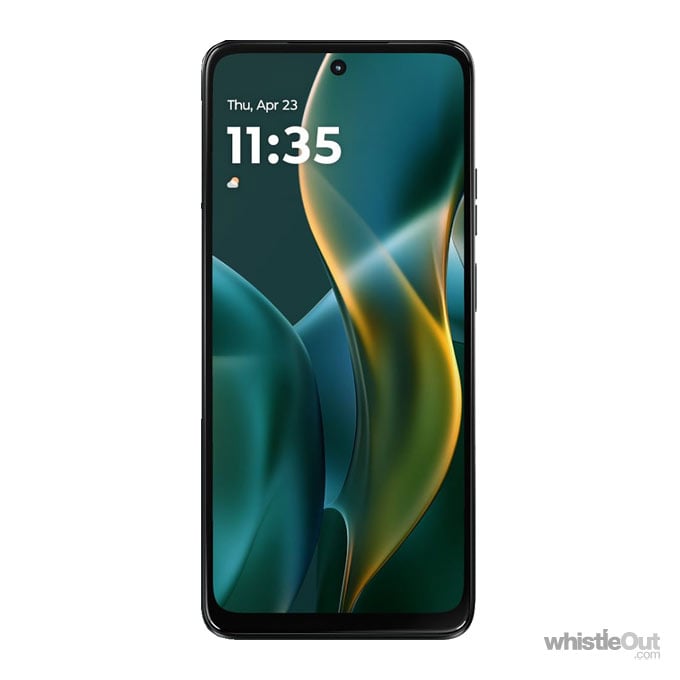
Motorola Moto G (2025)—Large 5,000 mAh battery
The Motorola Moto G (2025) proves you don't have to spend big to get a strong battery life. Its 5,000 mAh battery keeps you going through long days of calls, streaming, and social media. the phone also brings a 6.7" HD+ display with a 120Hz refresh rate, up to 4GB of RAM, and a 50MP dual rear camera for solid everyday performance. Powered by a 2.4 GHz octa-core processor and running Android 15 with 5G, it's a budget-friendly option that still feels modern and reliable.
See DetailsLauren Hannula
Managing Editor

Find a better phone plan
Thousands of cell phone plans unpacked. All the facts. No surprises.


.png?w=280&h=280&usm=20&usmrad=0.8&fit=crop "Best Cell Phone Deals for July 2026: Get the New iPhone 17 for Free")



