
All of my devices have become specialty activities. My e-reader is for books, my tablet is for playing Animal Crossing, and my phone is for social networking. But foldable phones make all of these activities accessible (and better) in one device.
Unfortunately, most apps aren't optimized to work on a screen nearly double the size. They stretch out, leaving awkward margins or oversized buttons looking even worse. But, some spectacular apps really shine on a foldable phone.
I tested the best apps for foldables to figure out which are worth downloading and keeping. Better yet, I believe a good app doesn't have to cost you anything, so all these picks are completely free.
Apple's first foldable just landed: iPhone Duo
Apple just launched its first foldable phone—the iPhone Duo. Get double the screen size with Apple's finest software for an impeccable iPhone experience. Learn all about it and how it compares to the new iPhone 18 Pro in our guide.
Check out the latest deals on Apple's newest phones to see how you can save.



Best free apps for foldable phones compared
| App | Available on | Price | Best for |
|---|---|---|---|
| Notion | iPhone and Android | Free (premium paid tiers available) | AI queries, planning, journaling, and note-taking easily |
| Stuff | iPhone only | Free (premium subscription available) | A simple to-do list with room to see everything at once |
| Libby | iPhone and Android | Free (library card required) | Reading ebooks, audiobooks, and magazines from your library |
| Sketchbook | iPhone and Android | Free (basic toolset unlocked) | Drawing and sketching on a bigger screen |
| CapCut Pad | iPhone and Android (tablets and foldables) | Free at launch | Video editing built specifically for the unfolded screen |
| Niagara Launcher | Android | Free (premium paid tier available) | Decluttering and organizing your home screen |
How I evaluated the best free apps for foldables
I judged each app on whether the foldable's inner screen actually changed how the app works, not just how it looks, and whether the free version actually holds up. Here's what I looked for:
- Layout adaptation: Does the app rearrange its interface on the unfolded screen, or just stretch the same phone layout wider?
- Free label: Does the free version deliver real functionality, or is it a stripped-down trial designed to push you toward paying?
- Everyday usefulness: Is this an app you'd actually open daily, or a novelty that looks nice in a screenshot?
- Cover screen behavior: Does the app still function well when the phone is folded, or does it only make sense unfolded?
1. Notion: The planning AI app that works best with more room
4 out of 5
- Free (premium subscriptions available)
- Available for iOS and Android
Notion is the app that was practically designed for a foldable's inner screen, even if that wasn't the intention. As a complete workspace app, Notion combines notes, tasks, calendars, and AI search into one customizable system. It's built around modular blocks of text, images, and tables that you can arrange however your workflow needs, rather than using a rigid, one-size-fits-all template.
I hate scrolling multiple times on Notion just to see everything—with a foldable, you don't need to.
On a regular phone, Notion is difficult to use when you hold it vertically, and is unusable when flipped horizontally. A small screen is too narrow to show more than one column at a time. But an unfolded phone gives Notion's layout the exact width that makes the design comfortable. Skip the constant scrolling and screen jumps on a regular phone, and download Notion on your foldable to harness everything the app offers.
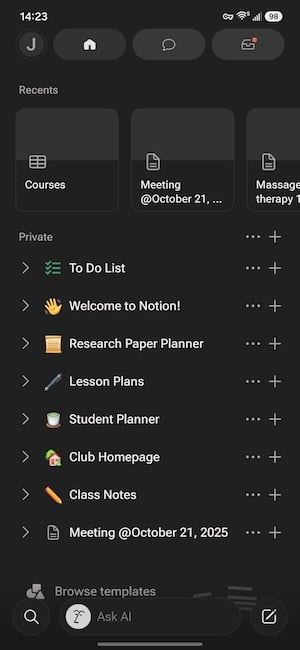
Image: Jessica Santero | WhistleOut
I use Notion to plan out TikTok scripts, track publishing schedules, and keep a running journal—and the extra width from a bigger screen does make everything easier. You can see so much more on a single screen instead of having to scroll multiple times to reach your meeting notes, find your calendar, or ask something to the built-in AI. The larger display gives templates and databases room to actually breathe instead of just squeezing them into a taller phone screen.
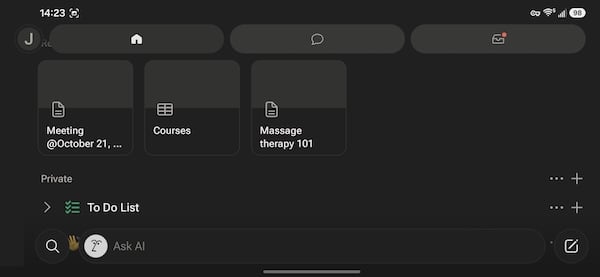
Image: Jessica Santero | WhistleOut
Notion is just one of the latest AI-integrated apps on the market. If you're looking for the best AI to use on your phone, check out our list of the best AI apps you should already have downloaded.

"Notion works really well on a foldable phone because you can see more on a single screen instead of having to scroll multiple times to reach your meeting notes, find your calendar, or ask AI your questions. It makes taking notes much easier, and you can see much more."
Jessica Santero, WhistleOut Staff Writer
Get the most out of your foldable's data plan
Stream, sketch, read, and enjoy endless apps on your foldable phone without worrying about running out of data. You can get top coverage and unlimited data without breaking the bank or signing a lengthy contract.
Check out the best unlimited data plans under $50/month below:


2. Stuff: A to-do list with room to actually see everything at once

4 out of 5
- Free (premium subscription available)
- Available for iPhone only
Stuff is a to-do list app built around Notes-style simplicity, and on a folded phone, that simplicity gets a lot more room to work with. Instead of squeezing a single running list into a narrow column, unfolding the screen gives you space to see your full task list, your tags, and whatever you're editing side by side instead of stacked on top of each other.

Image: Jessica Santero | WhistleOut
Stuff keeps you organized, but it feels more like a bullet journal, a calendar, and a notes app rolled into one. You can build out your to-do list, plan activities, and keep track of your day-to-day, then share the whole thing with multiple people across all their devices. It isn't a full calendar app, but it's a great fit if you're the kind of person who likes making lists and turning them into action items.
A bigger screen gives you the big-picture view of your day.
The app's two standout features—listen mode and scan mode—also benefit from the extra space. Listen mode lets you dictate a task straight into the app through Siri instead of typing it out, and scan mode turns your camera into a way to capture a task from a physical document, like a doctor's appointment card or a DMV slip. On an unfolded screen, the scanning preview is large enough to actually confirm what you're capturing before you commit to it, instead of squinting at a tiny frame.
"Stuff isn't going to replace Notion or Routine for anyone who wants deep control over their calendar, but on a bigger screen it's the easiest task app I've used that still feels like Notes."
Jessica Santero, WhistleOut Staff Writer
3. Libby: Reads like an ereader, feels like your local library—free books and audiobooks
5 out of 5
- Free (with a participating library card)
- Available for iOS and Android
Libby is my personal favorite app on this whole list, foldable or not. But you get a better reading experience with a bigger screen that made me rethink my Kindle. All it takes is a library card from a participating branch, and you get access to a massive catalog of ebooks, audiobooks, and magazines—at no cost. Once you link your card, borrowing works exactly like checking out a physical book (minus the trip to the library).
I love listening to audiobooks on Libby, but I hate reading on my small phone. On a foldable, that problem disappears.
I've always been an avid listener of Libby's audiobooks on my Samsung Galaxy S24 FE, but I completely gave up on reading ebooks on it. No matter how much I adjusted the font size, a regular phone screen always felt so cramped. I constantly found myself squinting and holding the small screen way too close to my face just to see it, which caused major eye strain.
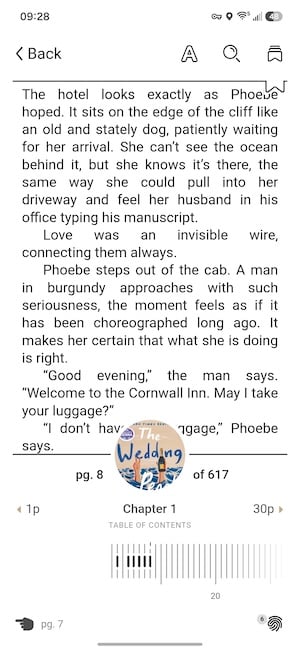
Image: Jessica Santero | WhistleOut
The larger screen gives you a much wider view, letting you see more at once and offering a reading experience that feels very close to a real e-reader. Plus, having that larger device in my hands just feels better. It lets me focus more on the story developing right in front of me instead of constantly tapping the screen to flip tiny pages.
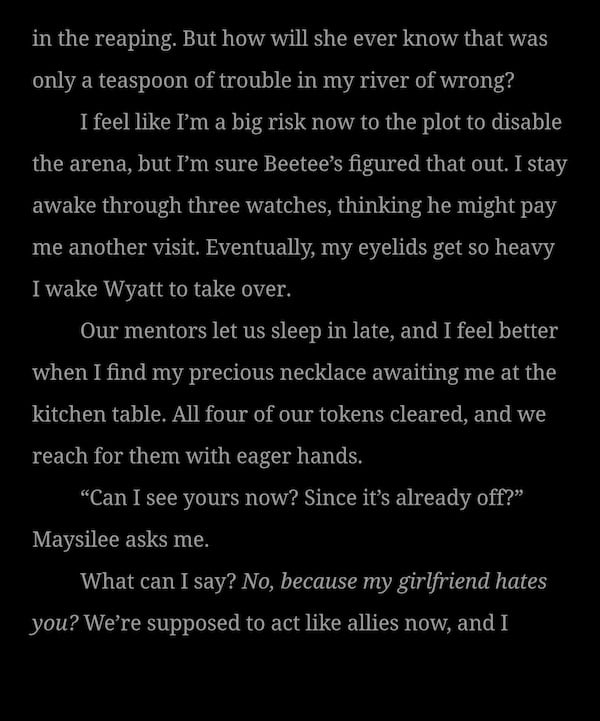
Image: Scott Houghton | WhistleOut
Best of all, it lets you consolidate your reading and listening onto a single device instead of juggling a phone and a Kindle. Now, when I want to catch up on the Throne of Glass series, I can seamlessly switch between listening to the audiobooks and reading the newer publications that don't have recorded narrations yet.
Pst… I tested almost every reading app around and found Libby was the best. Check out our guide to the best reading apps to see what options are available.
What Reddit says about Libby on foldables
Other foldable phone owners report the same benefits for their reading habits. One reader shared in r/books, "I read more with the Libby app. I have a Samsung Z Fold, so I have a larger screen than most, so it's not as jarring as reading on a normal phone screen. Nothing worse than needing to scroll or turn the page every paragraph."
"What's interesting about Libby on a foldable phone is that it gives you more of a Kindle-like experience. I absolutely love listening to audiobooks on Libby, but I hate reading on a regular phone. It's impossible to see comfortably, even after adjusting the font and text size. With a foldable, you get a much closer reading experience to that of an actual book."
Jessica Santero, WhistleOut Staff Writer
Read without limits on the nation's largest 5G network
With T-Mobile's Experience plans, that travel-friendly wireless service means you can take your entire digital library on the go, reading anywhere while staying seamlessly connected to the nation's largest 5G network.
Whether you're catching up on a chapter at a crowded airport terminal or downloading the next book in your series from a remote beach, you get completely reliable coverage without ever missing a beat.
Thinking about getting a foldable phone? Do it.
If you aren't sure whether to make the switch to a foldable phone or not, here's why our resident Android expert highly recommends the hardware upgrade:
Scott Houghton says, "I have a Galaxy Z Fold5, and I chose it because it was by far the best fold that existed at the time. Now the foldable landscape is a lot more competitive. It mostly just depends on what OS you like. But the biggest perk of foldables is that they make dual-screen multitasking actually worth it."
Check out the best foldables at a discount available now:
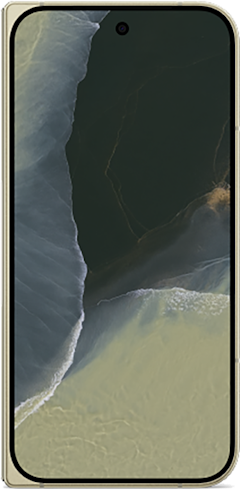
- 8 inch display
- Rear Cameras: 48MP, 10.5MP, 10.8MP
- Front Cameras: 10MP, 10MP
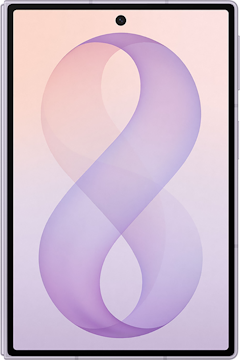
- 7.6 inch display
- Rear Cameras: 50MP, 50MP
- Front Cameras: 10MP, 10MP
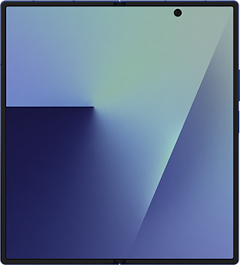
- 8 inch display
- Rear Cameras: 200MP, 10MP, 12MP
- Front Camera: 10MP

4. Sketchbook: Drawing with a canvas that finally fits
4 out of 5
- Free (optional one-time purchase pro features)
- Available for iOS and Android
If you've ever tried drawing on a small phone screen, you know every brush stroke feels like a risk. You either end up with fine, timid lines or an unintentional stripe of color across your whole screen. On a foldable, you can get into much more detail, and the drawing experience finally feels like using a tablet instead of fighting your phone.
Sketchbook is a completely free drawing app with an impressive set of digital brushes, pencils, and markers, and it supports pressure sensitivity when you're using a stylus. The free version includes all the basic tools you'd expect, like a simple paintbrush, fine-tip pen, and flat markers, alongside specialized textured brushes for just about anything you can imagine.
With a decent-sized foldable, you don't need to juggle between devices or pack extra supplies just to sketch when inspiration hits.
As someone who's studied watercolor for several years, I found it fun and easy to draw digitally. One of my favorite features is the auto-generated complementary color suggestions, which make your color theory a breeze—even if you're not consciously thinking about it.
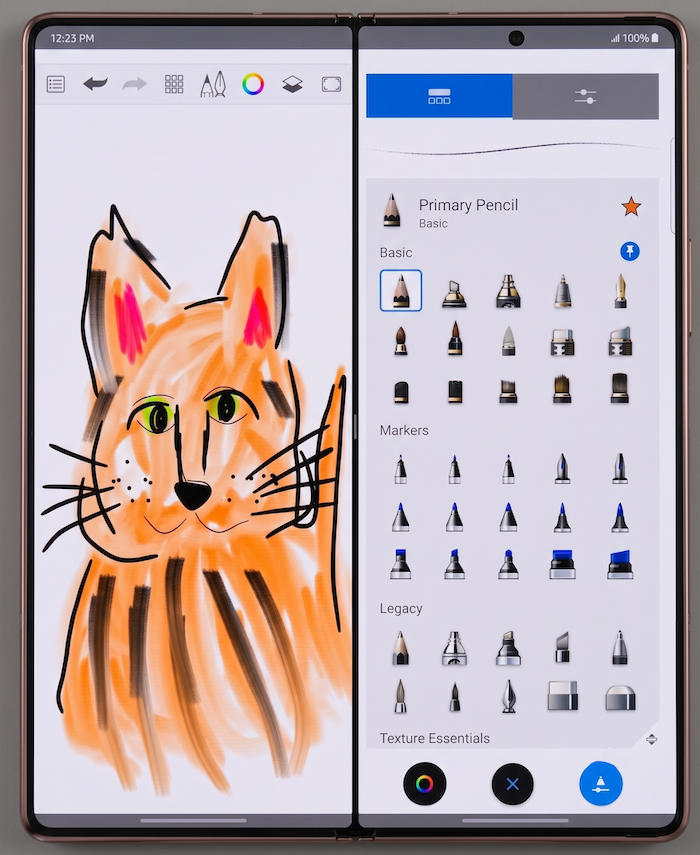
Image: Jessica Santero | WhistleOut
While Sketchbook works fine on a standard phone in a pinch, a foldable is where it truly shines. The extra canvas space you get when you unfold the screen gives you room for fine detail and much better control with a stylus. The drawing experience is more like using a tablet instead of fighting your palm-sized phone, giving you that proper digital notebook feel.
What Reddit says about Sketchbook
Sketchbook comes up often as the go-to recommendation for Fold owners. One user recommended it in r/GalaxyFold, saying, "Sketchbook by Autodesk, free and on the Play Store, pretty dang fully featured too. Tons of brushes and built-in pen support," with another commenter adding, "Second that. Love Sketchbook."
Sketchbook isn't the only drawing app I've tested. Here's my rundown on the best drawing apps you can use on your phone.
Unleash your inner artist without paying full price
Unfolding a Samsung Fold instantly gives you a tablet-sized digital canvas, turning your everyday phone into a portable sketchbook or production studio. Better yet, you don't have to shell out a fortune to completely upgrade your creative toolkit.
Between major carrier trade-in promos and massive instant discounts, you can easily score a Samsung Fold at a serious markdown right now.
- 7.6 inch display
- Rear Cameras: 50MP, 50MP
- Front Cameras: 10MP, 10MP
- 8 inch display
- Rear Cameras: 200MP, 10MP, 12MP
- Front Camera: 10MP
- 7.6 inch display
- Rear Cameras: 50MP, 50MP
- Front Cameras: 10MP, 10MP
5. CapCut Pad: Free video editing built specifically for the unfolded screen
3.5 out of 5
- Free (premium subscriptions available)
- Available for iOS and Android
Most video editors on Android are just the phone app stretched wider, but CapCut Pad was actually built for a bigger canvas from the start. It's a dedicated version of CapCut redesigned specifically for large-screen devices like Galaxy tablets and the Z Fold line. The layout gives you room to see the timeline, media bin, and editing controls instead of cramming them into a scaled-up phone interface.
This video editor was designed for the unfolded screen (instead of just tolerating it).
You get multi-layer and multi-track editing, keyframe animation, transitions, filters, auto-generated captions, and automatic background removal, all without needing a subscription.
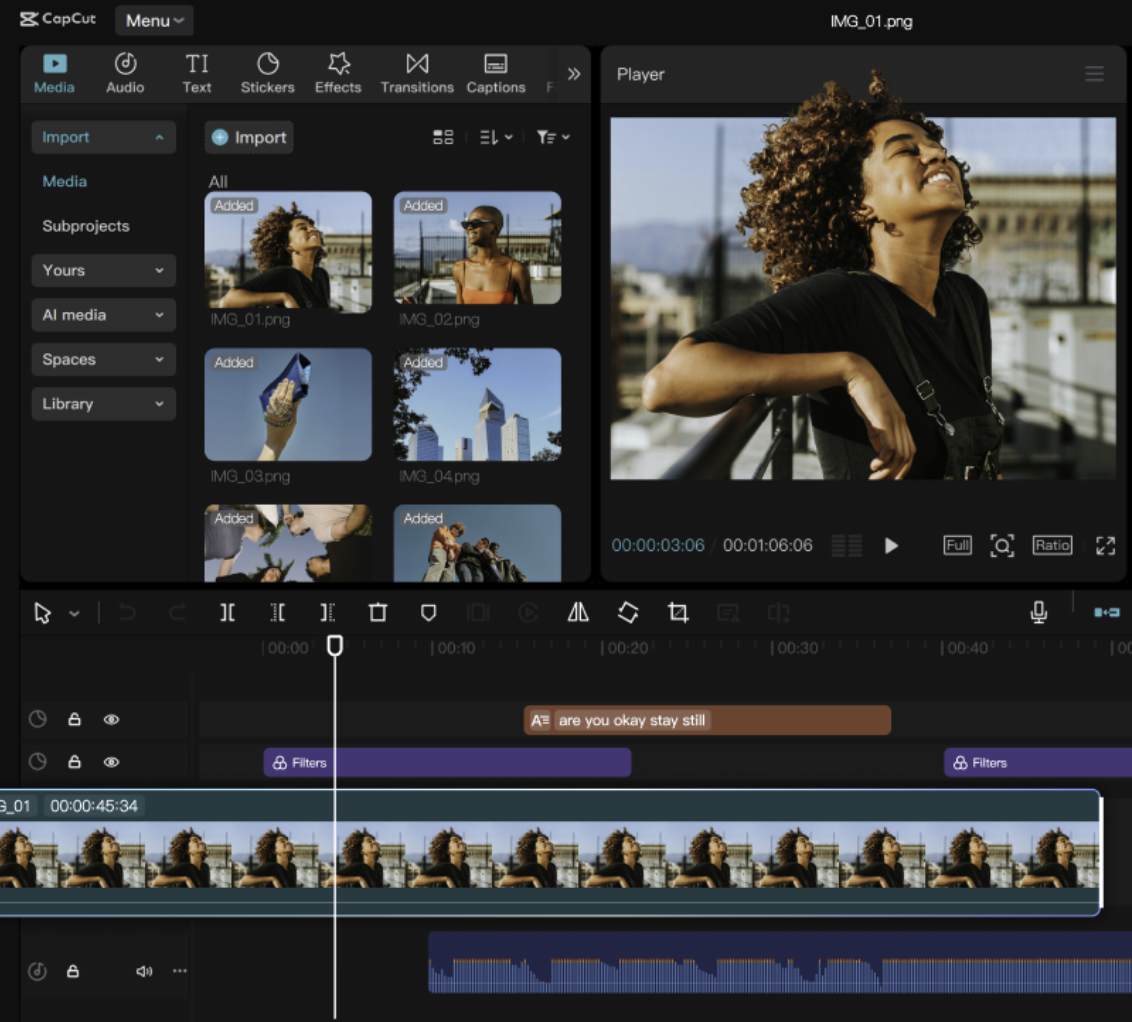
Image: Google Play Store
But I'm not sure how long CapCut Pad's free model will last. I used to use CapCut for editing on a regular basis, but I had to change platforms because the best features were locked behind a paywall. So there's a real chance CapCut Pad will follow the same path eventually. But for now, it's one of the most capable free video editors you can put on a foldable.
Heavy-duty editing needs a heavy-duty data plan
If you're editing high-definition videos in CapCut Pad to post to TikTok and Instagram, you already know how fast it burns through mobile data. To keep your workflow smooth and avoid getting throttled to a crawl, you need a plan with the most high-speed data possible. The Big Three all offer top-tier plans with unlimited, seriously speedy data that won't slow you down based on your usage.
Check out the most popular plans from Verizon, AT&T, and T-Mobile:

6. Niagara Launcher: A cluttered home screen's best friend
5 out of 5
- Free (optional paid tier for wallpapers and extra customization)
- Available for Android only
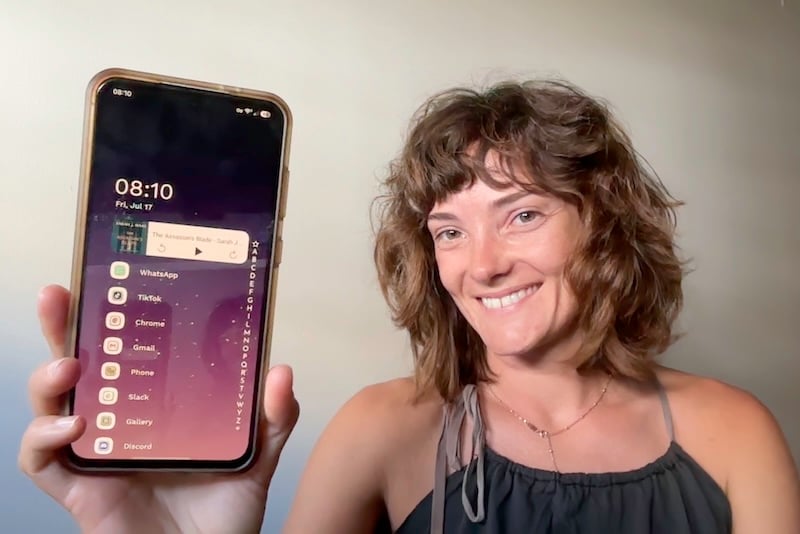
I didn't know I needed this app in my life, but my home screen will never look the same again. Niagara is a home screen management system built to declutter your phone. Instead of scrolling through panels of icons, you get a single top widget slot (mine is Libby, since I'm always mid-audiobook) and a short list of your most-used apps. Everything else lives in an alphabetical list you reach by sliding your finger along a scroll bar on the edge of the screen.
For a foldable phone, more space often means more clutter… Niagara is your minimalistic organizer.
I installed Niagara on my Samsung S24 FE and love it. A single scroll bar along the edge replaces panel after panel of app icons.
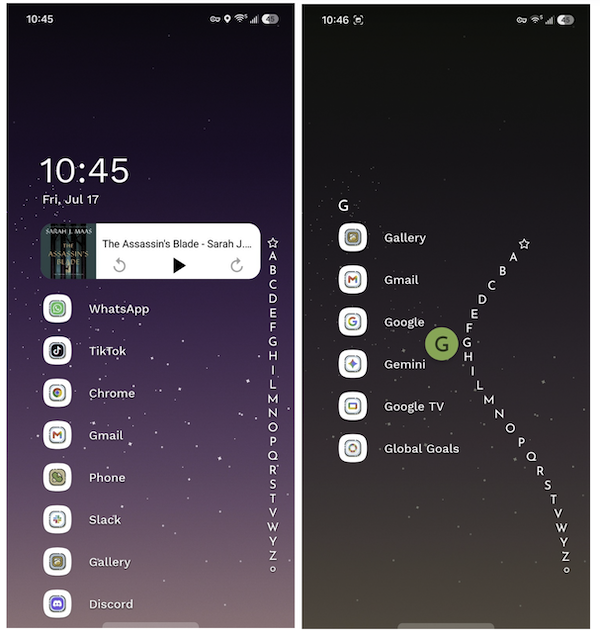
Image: Jessica Santero | WhistleOut
There's a hidden benefit to Niagara beyond just looking clean—Niagara actively reduces unwanted scrolling and mindless tapping, too. If I don't favorite TikTok, for example, I have to scroll through the alphabet and select it to open it. If the icon isn't sitting right in front of me, I don't think about it, and I don't tap it out of instinct.
It took some tinkering to get it up and running, but all you have to do is follow a few steps, and in a series of taps, you have a clean home page.
What Reddit says about Niagara on foldables
Just like me, other Fold owners love Niagara. As one Fold 7 owner put it in r/NiagaraLauncher, "I use it on my Fold 7 every day. I really like it." I couldn't agree more, and don't plan on deleting this launcher, ever.
"Niagara just elevates the whole Android experience. I don’t even have that many apps, but it just makes my homepage and finding apps seamless. Plus, it’s worked better than any screen-time blocker at reducing my TikTok consumption. So kudos, Niagara"
Jessica Santero, WhistleOut Staff Writer
 How I evaluated these apps
I personally used each of these apps daily, testing them across real planning, reading, drawing, editing, and customizing rather than a single sit-down session. Where relevant, I compared the same task, like drawing a sketch or editing a clip, on both my Samsung S24 FE and a coworker's Z Fold5 to see how much the layout actually changed.
Why you can trust WhistleOut
.svg)
15+
years of mobile industry experience

900+
published wireless guides

35+
firsthand carrier reviews
We've been around since the birth of the iPhone. Along the way, we've learned how to spot the best deals for your wallet (and your sanity). We spend our days researching informative guides and writing insightful reviews on every kind of wireless plan, distinguishing what matters from what doesn't. We played around with these plans before recommending them, ensuring they're worth your hard-earned money.
Want to know more? Check out how we review every cell phone plan we rank.
Best free apps for foldable phones: FAQ
What apps take advantage of the Galaxy Z Fold's screen?
Notion, Sketchbook, and CapCut Pad are three of the best apps for the Galaxy Z Fold, since each one uses the extra screen space for planning, drawing, or editing instead of just stretching a phone-sized layout. Whether you own a Z Fold 7 or an older Galaxy Fold, both adapt to the larger canvas rather than leaving you with oversized icons and awkward margins.
Do all apps work properly on foldable phones?
Not every app works correctly on foldable phones, so plenty just stretch to fill the screen instead of adjusting their layout. Our top app picks were built or updated specifically for adaptable layouts, so they behave differently once you unfold instead of scaling up.
What's the best note-taking app for the Z Fold?
Notion is the best note-taking app for the Z Fold since its blocks and built-in AI search make the most of the wider screen for class notes, meeting notes, or quick to-do lists. On the unfolded display, you can see your notes, calendar, and search bar all at once instead of switching between screens.
Are there apps made specifically for the cover screen?
Niagara Launcher is one of the few apps built around the cover screen experience, replacing a cluttered grid of icons with a scrollable list you reach with one swipe.
What camera app is best for the Z Fold's multitasking features?
Samsung's own Camera app is the safest bet for the Z Fold's multitasking features, since Flex Mode lets you prop the phone halfway open and use the bottom half as a viewfinder while the top half shows your shot in real time.
Is there a good to-do list app for Apple's foldable, the iPhone Duo?
Stuff is currently the simplest to-do list option built for iPhone, and its Notes-style layout is well suited to the extra screen space on Apple's first foldable, the iPhone Duo. It's not built specifically for the Duo's unfolding display, but the larger canvas gives its task lists and tags more room to spread out.
Jessica Santero
Staff Writer

Thousands of cell phone plans unpacked. All the facts. No surprises.
Related Articles


Related Topics
App Roundups FeaturedPopular Topics
Featured App Reviews iOS News Coverage Device Reviews Device Explainers Carrier Explainers App Roundups T-Mobile


