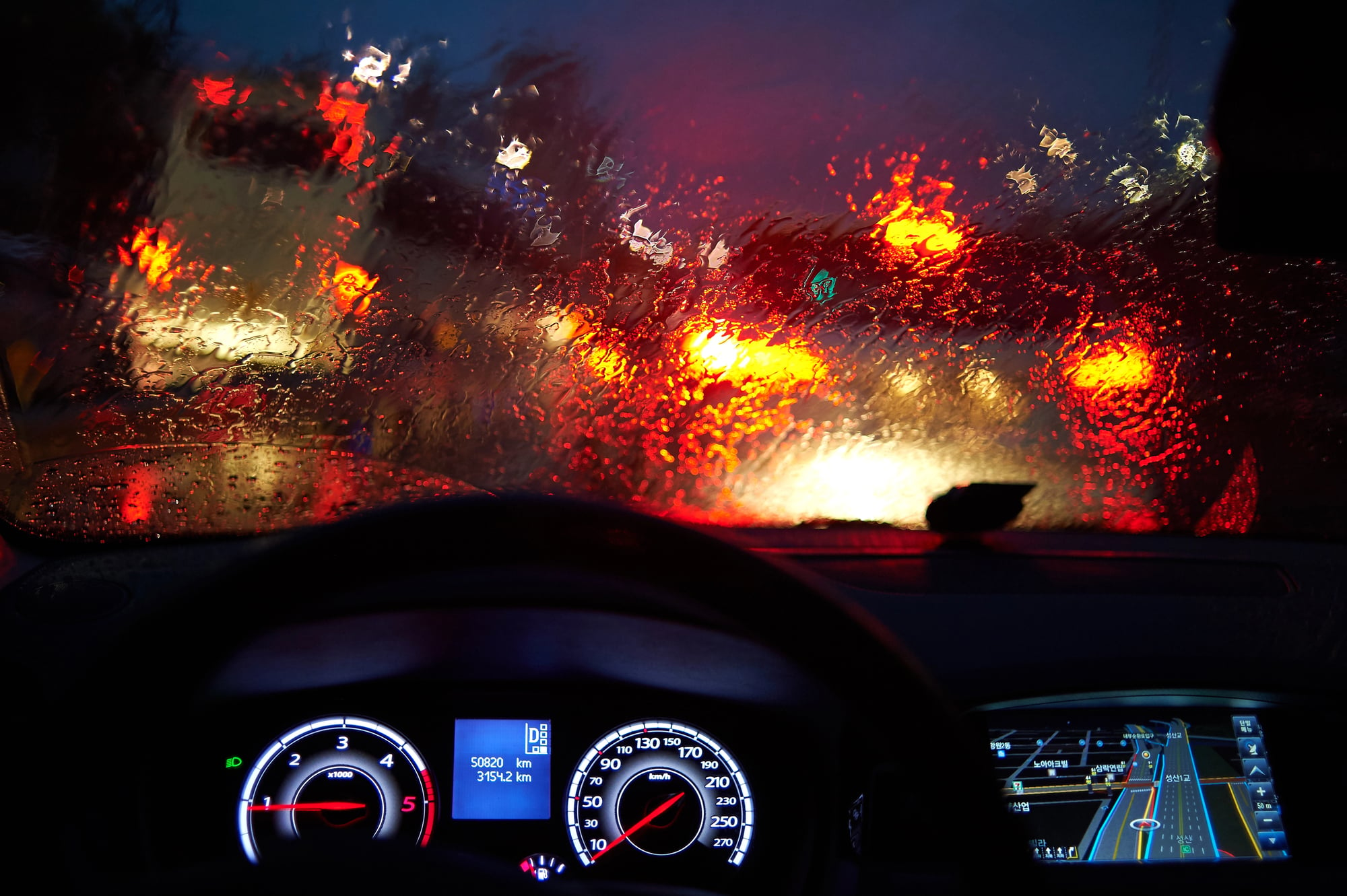
Unexpected downpours can slow traffic to a crawl, and uncleared snow can stop you completely. With winter in full swing, knowing the weather ahead of you is part of staying safe on the road.
But CarPlay can be tricky and frustrating at times, and some newer cars don't support CarPlay at all. So with snowy trips, holiday visits, and road trips coming up, I tested the best weather apps for CarPlay with help from WhistleOut senior staff writer Max McCaskill and his Ford Bronco.
Ever heard of MyRadar? It's the best option available. Read on to find out why it's the best for safer driving this winter.
Quick look at the best weather apps for CarPlay
| App | Best for | CarPlay compatible | Price |
|---|---|---|---|
| MyRadar | Customizing your weather layers | Yes | Free; Premium adds pro radar, hurricane tracking, and eliminates ads. |
| Storm Radar | A simple radar with no learning curve | Yes | Free; Premium adds high-resolution radar and more map layers. |
| Weather on the Way | Planning long road trips | Yes | Free; Pro adds live radar, alternative routes, and custom stops. |
What's important in a CarPlay weather app
Whether you're commuting across town or driving across three states, a good CarPlay weather app needs to:
- Show a radar you can read at a glance.
- Forecast the weather along your route.
- Keep its controls easy to reach.
Before you download just any weather app, keep in mind that a lot of popular ones (including Apple Weather) don't work with CarPlay at all. Apple decides which kinds of apps can run on CarPlay, and weather apps don't have their own category.
Even then, seeing a weather map on your car screen doesn't mean the app will predict the weather along your route. The apps on this list ask where you're going so they can show you what's ahead on your drive, not only what's happening where you're parked.
The best weather apps for CarPlay
MyRadar: The most weather layers on your dashboard
4.5 out of 5 overall
- Choosing exactly which weather layers show up on your map
- Tracking hurricanes and storms from the driver's seat
- Drivers who already use MyRadar on their phone
MyRadar gives you the most control over what shows up on your CarPlay map—but you'll have to tap the screen every time you want to change something.
MyRadar is a weather radar app that puts a live weather map on your CarPlay screen. But what makes it the best for CarPlay is its turn-by-turn directions with road conditions through its RouteCast feature—and it's free. MyRadar had the most weather filters of the three apps Max tested, and the developer keeps adding more. The most recent October update added a Hurricane Tracker as a CarPlay layer, and the one before that included Storm Centers.
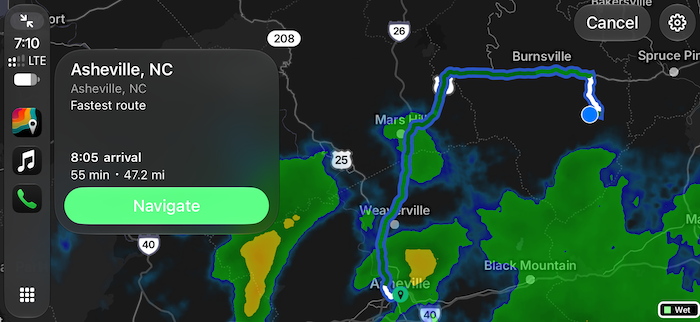
Image: Max McCaskill | WhistleOut
MyRadar also takes safety more seriously than the other apps. It was the only app that warned Max several times not to use it in CarPlay while driving. It also freezes the radar image while your car is in motion. That way, you don't get distracted by the motion on the screen.
The only issue is that the controls are hard to reach. When the app is open, none of the settings or map controls show up on screen. You have to tap the screen to bring them up, and they disappear again if you wait more than a second. "Feels like an extra, unnecessary step that makes the app not a great choice for a quick look at the radar while driving," Max notes.
Despite the on-screen control snag, MyRadar is still the best option. "The UX thing isn't a massive dealbreaker," he explains, "just something I noticed as I was using it." If you like choosing exactly what shows up on your map, MyRadar gives you the most to work with.
Stay connected on long drives
MyRadar loads radar maps and storm layers over your cellular connection while you drive, so an unlimited data plan keeps a road trip from eating into your monthly data. You won't have to choose between checking the storm ahead and streaming your playlist.
Compare the most popular unlimited plans before your next road trip.


Storm Radar: The simplest radar for a quick look at the rain
4 out of 5 overall
- Seeing the radar without digging through settings
- Getting weather alerts along your route
- Hearing turn-by-turn directions out loud
Storm Radar is the easiest of the three apps to pick up and use on CarPlay, with three weather filters and no menus to dig through.
Storm Radar is The Weather Channel's radar app, and it added CarPlay support at the end of summer 2026. The CarPlay app previews the weather along your route, gives turn-by-turn directions with automatic rerouting, and sends weather alerts that refresh as you drive.
Even with all of its features, Storm Radar is still a more basic weather app to use with CarPlay. You only get three simple weather filters on the CarPlay screen, but that's usually enough to stay informed. If you just want to see where the rain is, Storm Radar is a no-fuss (and reliable) storm mapper.
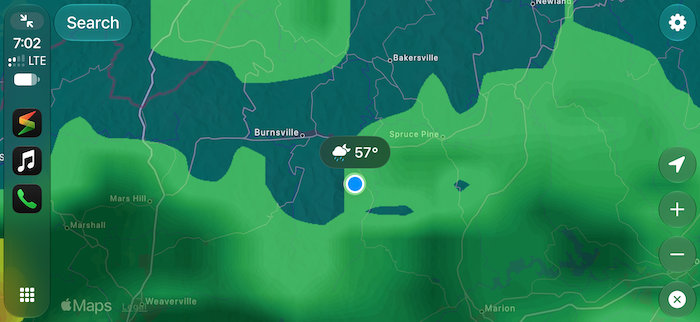
Image: Max McCaskill | WhistleOut
The catch is that the map gets crowded fast. When Max turned on all three filters at once, the map became very hard to read. But if you stick to just one, then it's easy to see clearly.
Make sure your iPhone can keep up
Storm Radar requires the latest iOS to function, so an older iPhone may not be able to run it on your dashboard at all. A newer iPhone also gets the latest CarPlay features.
If your phone is due for an upgrade, compare the latest iPhone deals before your next drive.
- 6.1 inch display
- Rear Cameras: 48MP, 12MP
- Front Camera: 12MP
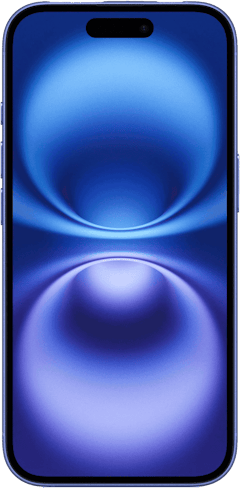
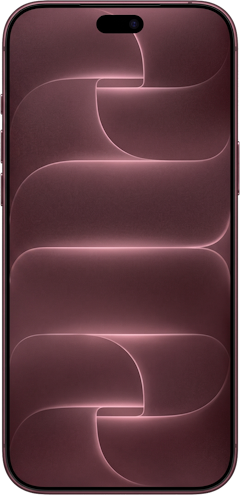
- 6.3 inch display
- Rear Cameras: 48MP, 48MP, 48MP
- Front Camera: 18MP
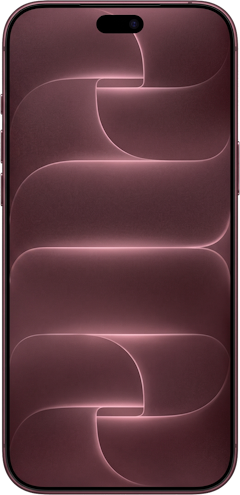
- 6.9 inch display
- Rear Cameras: 48MP, 48MP, 48MP
- Front Camera: 18MP

Weather on the Way: Plan around the weather before you leave
3 out of 5 overall
- Road trippers, RVers, and motorcyclists
- Picking a departure time around bad weather
- Planning multi-stop trips
Weather on the Way shows you the forecast for each stretch of your drive, but expect an upgrade prompt as soon as you set a route.
Weather on the Way works differently from the other two apps. It calculates your route and shows the forecast for points along the way at the exact time you'll drive through them. That way you don't have to worry about a rainy patch you won't hit until three hours into your drive. Plus, you can slide your departure time forward to find the best window to leave.
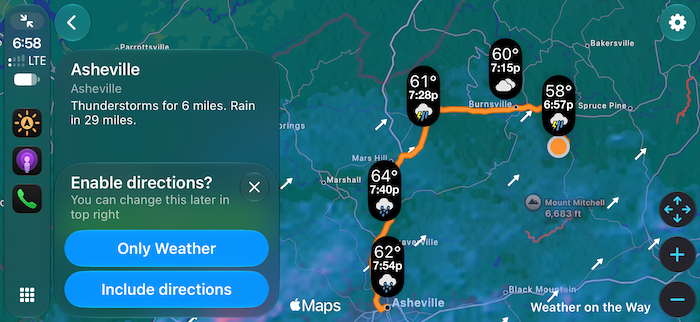
Image: Max McCaskill | WhistleOut
Now the major difference with Weather on the Way is the fact that you don't see the storm map. Instead, this navigation route shows you icons—not percentages and predicted rainfall. You can't change this setting easily either. The display options live in the app's settings on your phone, not on the car screen. So unless you want to stop and change them, you just have to put up with them.
Just from the screenshot, this app looks great though...right? Unfortunately, Max said it was the only app tested that constantly tried to upsell him on a premium tier. The free version gives you weather along your route, but live rain and snow radar, alternative routes, and custom stops all require a paid subscription. And it's important to note that severe weather alerts only work in the United States, Canada, and European Union countries, so not everywhere.
Apple Weather didn't make the cut
Apple Weather would have been the obvious first pick, but it doesn't have a CarPlay app at all. Siri can still read you the forecast while you drive, so you can ask, "What's the weather like at my destination?" without touching the screen.
Since iOS 26, you can also add widgets to your CarPlay screen by going to Settings, then General, and CarPlay. A widget won't show you a radar map, but it keeps the temperature and conditions next to your directions.
We've reviewed tons of apps. Check out which are the best from this year so far.
How we tested the best weather apps for CarPlay
I tested MyRadar, Storm Radar, and Weather on the Way on my iPhone 11, and Max McCaskill tested them on CarPlay in his Ford Bronco, including:
- Radar and weather layers: How many weather filters each app offered on the CarPlay screen and how readable the map stayed with all of them turned on.
- Route forecasts: How each app handled the weather along a driving route.
- Controls and ease of use: How many taps it took to reach the settings and map controls while driving.
- Upsells and safety warnings: Whether each app pushed a paid tier or warned against using it while driving.
Best weather apps for CarPlay: FAQ
What is the best weather app for CarPlay?
The best weather app for CarPlay is MyRadar for most drivers. It has the most weather layers of the apps we tested, plus turn-by-turn directions with road conditions.
Can you use Apple Weather on CarPlay?
No, you can't use Apple Weather on CarPlay because it doesn't have a CarPlay app. Siri can still read you the forecast, and iOS 26 widgets let you add weather conditions to your CarPlay screen.
What is the best free weather app for CarPlay?
The best free weather apps for CarPlay are Storm Radar and MyRadar, which are both free to download. Weather on the Way also includes CarPlay on its free tier, but you'll need Pro to see the radar.
Why isn't my weather app showing up in CarPlay?
Your weather app isn't showing up in CarPlay because it either doesn't support CarPlay or isn't turned on in your settings. Go to Settings > General > CarPlay, choose your car, and make sure the app is added to your screen. If it's not in the list, update the app and restart your iPhone before reconnecting to your car.
Does MyRadar show animated radar on CarPlay?
No, MyRadar doesn't show animated radar on CarPlay. The developer turns off radar animation in CarPlay for safety reasons, even if you pay for the app.
Why you can trust WhistleOut

15+
years of mobile industry experience

900+
published wireless guides

35+
firsthand carrier reviews
We've been around since the birth of the iPhone. Along the way, we've learned how to spot the best deals for your wallet (and your sanity). We spend our days researching informative guides and writing insightful reviews on every kind of wireless plan, distinguishing what matters from what doesn't. We played around with these plans before recommending them, ensuring they're worth your hard-earned money.
Want to know more? Check out how we review every cell phone plan we rank.
Jessica Santero
Staff Writer

Thousands of cell phone plans unpacked. All the facts. No surprises.
Related Articles


Related Topics
App Roundups FeaturedPopular Topics
Featured App Reviews iOS News Coverage Device Reviews Device Explainers App Roundups Carrier Explainers T-Mobile