
Whether you're new to Apple or just upgraded to the latest model, these apps are essential for the best iPhone experience. I tested eight apps that only exist on iOS, and picked five that every iPhone user should download. From calendar management to personalizing your Home Screen to keeping tabs on your stuff if it ever goes missing, they do it all—and they do it exclusively on iOS.
You won't find a single one of them on Android, so if you've bounced between phone brands before, it's easy to have missed them entirely. Read on for my full review.
Get cheaper unlimited data for your iPhone
iPhones are expensive, but your cell phone plan doesn't have to be. You can get unlimited data at 5G speeds from smaller carriers that operate on the same networks as major carriers. And better yet, it costs a fraction of the price.
Check out the most popular (and affordable) unlimited data plans below:
|
Visible

$19 Visible Plan
$19.00/mo
Taxes & Fees included
|
|
Mint Mobile

Unlimited Data Plan
$15.00/mo
$45 for 3 months of service
|
|
Verizon

Simplicity Plan
$30.00/mo
+ Taxes & Fees. Price includes AutoPay & Bring a Number discount
|
Best iPhone-exclusive apps at a glance
| App | Available on | Price | Best for |
|---|---|---|---|
| Bear | iPhone, iPad, Mac only | Free on one device; Pro costs $2.99/month | Quick, structured note-taking that goes beyond the default Notes app |
| Fantastical | iPhone, iPad, Mac, Apple Watch only | Free tier available; Premium costs $6.99/month | A calendar that handles the details of your events |
| Widgetsmith | iPhone, iPad only | Free (with ads); Premium costs $1.99/month | Customizing your Home and Lock Screen with your own widgets |
| Infuse | iPhone, iPad, Apple TV, Mac, Vision Pro only | Free tier available; Pro costs $1.99/month | Playing any video file without converting it first |
| Find My | iPhone, iPad, Mac, Apple Watch, AirTags | Free (already built into iOS) | Locating a lost phone, AirTag, or person you've added to your circle |
1. Bear: The notes app that makes your ideas easier to find later
- Available for iPhone, iPad, and Mac only
Bear is the app I now open before Reminders, even after years of Reminders being my default.
Bear is a notes app built around simple markdown-style formatting, though you never have to touch a formatting menu to use it. Add headers to break up long notes, tag contacts directly in your writing, drop in dates, and link any note to another so related ideas stay connected. Just open the app and you're typing within a single tap. You don't even have to create an account or go through any lengthy setup before typing out your notes.
I used Bear for quick notes during phone calls, jotting down takeaways from a podcast, and saving things I wanted to remember from Reddit threads before I scrolled away. The headers made the biggest difference for me. Switching between them takes one tap, and it made my notes easier to skim when I went back to find something later. It feels less like a plain notes app and more like a cross between a Google Doc and Notes; simple on the surface but far more capable underneath.
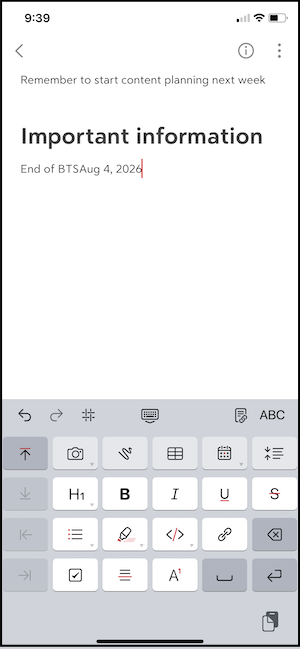
Image: Jessica Santero | WhistleOut
Bear is a great pick for anyone who takes a lot of quick notes throughout the day and wants them to stay organized without extra effort on the back end. If you've ever lost track of an idea because it was buried in a wall of unformatted text, Bear is built to fix exactly that.
What Reddit says about Bear
Bear has a strong following on r/bearapp, where fans point to the design and the export options as the reason they still use Bear. One commenter summed it up simply, saying, "It's one of the few apps that actually work in 'most' real-life scenarios."
Keep Bear synced everywhere, not just on Wi-Fi
Bear works best when your notes sync the second you write them, whether you're on Wi-Fi or out running errands. A plan with solid data coverage keeps that sync instant, so you're never stuck waiting until you're back on your home network to see a note on another device.
Check out the best low-cost data plans to keep you connected:
|
Boost Mobile

Unlimited Plan
$10.00/mo
with AutoPay
|
|
Lyca Mobile

Unlimited Plus Plan
$12.50/mo
Pay $12.50/month for the first 9 months<br>Regular rate is $49/month
|
|
Cricket

3-Month Unlimited Plan
$15.00/mo
$45 advance payment for 3 months (equals to $15/month)<br>regular rate for 3 months is $120 (equals to $40/month)
+ $9.99 Upfront
|
2. Fantastical: The calendar that actually understands what you type
- Available for iPhone, iPad, Mac, and Apple Watch only
Fantastical is the app that finally got me to stop defending Google Calendar.
Fantastical is a calendar app that autofills your events instead of forcing you to fill out separate fields for a title, date, and time. Type an event the way you'd say it out loud, and Fantastical schedules it correctly on its own. It also pulls in multiple calendar accounts, iCloud, Google, or Outlook, behind a single account key, so everything lives in one view without anyone else able to tamper with your schedule.
I hate when I accidentally tap a random spot on Google Calendar and create events I never meant to make. Fantastical never did that to me. I needed to block off time to test apps, so I typed the event title and "12–2," and it landed on my calendar at the correct time without any extra steps. Flipping between day, week, month, and year views was just as smooth, and I found myself using the year view far more than I expected to when planning further out.
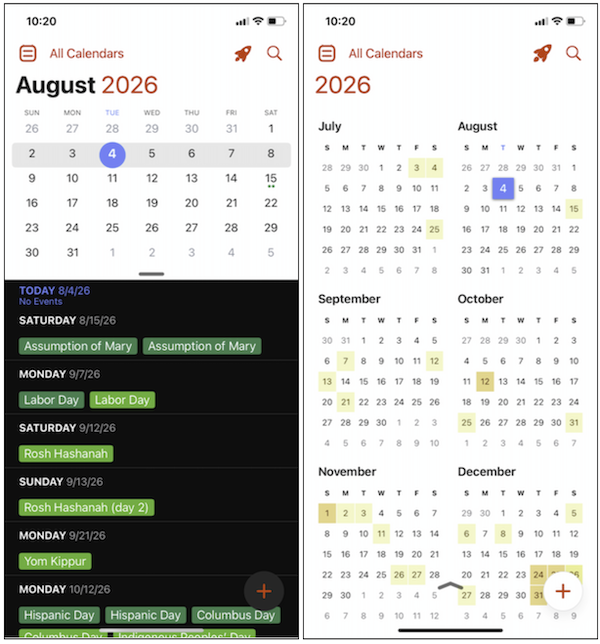
Image: Jessica Santero | WhistleOut
A quick note before you go searching: there are Android calendar apps using the Fantastical name on the Play Store, but they're not made by Flexibits and have nothing to do with the real app. Fantastical stays inside Apple's ecosystem on purpose, and that's part of what makes the natural language parsing and account-key security feel so tightly built.
Fantastical is ideal for anyone who schedules a lot and is tired of fighting with a clunky calendar app to do it. If Google Calendar has ever created an event you didn't mean to make, or made you hunt through menus just to see your whole month, Fantastical fixes both of those problems in one download.
What Reddit says about Fantastical
Over on r/FantasticalCalendar, one user explained why they switched calendar apps entirely, stating, "It has some of the best UI/UX I have found in a calendar app." The natural language event creation and custom views were the deciding factors, with the Apple-only limitation as the one hesitation.
Fantastical looks better on a bigger screen
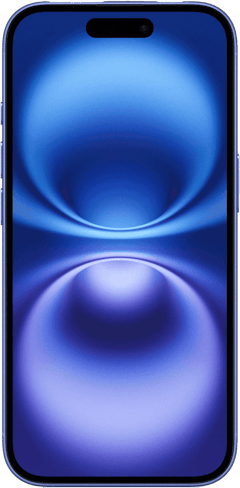
See more of your calendar at once with a bigger screen. Check out the latest iPhones that come equipped with top-notch OLED displays and massive screens.
iPhone 16 128GB
- 6.1 inch display
- Rear Cameras: 48MP, 12MP
- Front Camera: 12MP
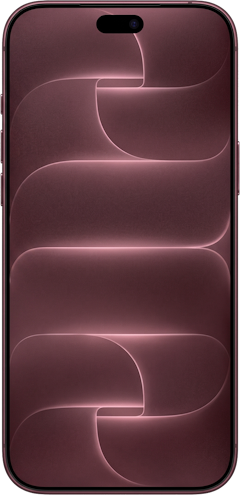
iPhone 18 Pro 256GB
- 6.3 inch display
- Rear Cameras: 48MP, 48MP, 48MP
- Front Camera: 18MP
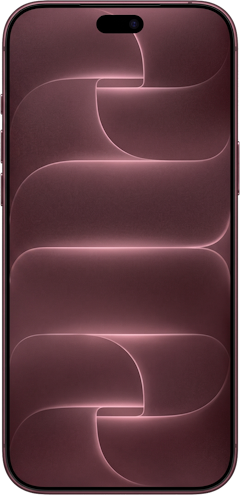
iPhone 18 Pro Max 256GB
- 6.9 inch display
- Rear Cameras: 48MP, 48MP, 48MP
- Front Camera: 18MP

3. Widgetsmith: Turn your Home Screen into something you actually enjoy looking at
- Available for iPhone and iPad only
After 16 years of using iPhones, Widgetsmith is the first app that's made me rethink what my Home Screen could look like.
Widgetsmith is a widget-building app. Instead of picking from Apple's short list of default widget styles, you design your own: choose the size, the data it displays, the font, and the color, then drop it directly onto your Home or Lock Screen. It covers everything from clocks and calendars to activity rings, and it includes a library of wallpapers you can pair with your widgets for a cohesive look.
I built a bigger weather widget the same day I downloaded the app and immediately wondered why I'd waited so long. From there, I couldn't resist adding the strawberry milk boba wallpaper to both my Lock and Home Screen the moment I saw it in the library. Once the wallpaper was set, I went back and color-matched my widgets to it, and the whole screen finally felt like it was designed instead of just a default.
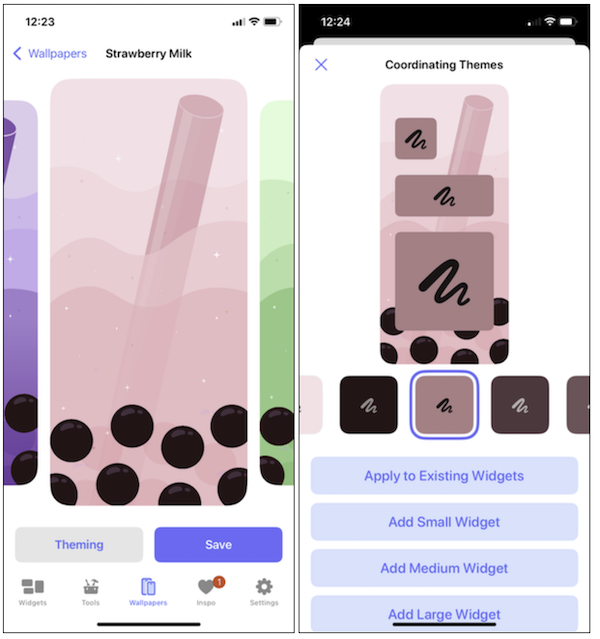
Image: Jessica Santero | WhistleOut
Widgetsmith is best for anyone who wants their Home Screen to look and feel like theirs, not like the setup every other iPhone ships with out of the box. If you've ever felt like Apple's default widgets were too limited in size or style, this is the app that gives you control over both.
What Reddit says about Widgetsmith
On r/ios, Widgetsmith comes up any time someone complains about Apple's built-in widget sizes. When one user wanted a bigger clock than the default wide multi-zone option, another user's advice was direct: "Get Widgetsmith and make your own!"
Live widgets need a live connection
Weather, activity rings, and calendar widgets only update when your phone actually has a connection. If you're building out a Widgetsmith setup packed with real-time info, a dependable data plan keeps every widget accurate instead of stuck showing yesterday's numbers.
|
Visible
$19 Visible Plan
$19.00/mo
Taxes & Fees included
|
|
Mint Mobile
Unlimited Data Plan
$15.00/mo
$45 for 3 months of service
|
|
Verizon
Simplicity Plan
$30.00/mo
+ Taxes & Fees. Price includes AutoPay & Bring a Number discount
|
4. Infuse: The video player that plays anything you throw at it
- Available for iPhone, iPad, Apple TV, Mac, and Vision Pro only
Infuse fixed a problem I'd been dealing with for years without knowing there was a better option out there.
Infuse is a video player built to handle file formats that trip up other apps. You don't need to convert anything before it plays, and it streams from local storage, a NAS, or cloud services like Dropbox and Google Drive without missing a beat. It also adds subtitles automatically and can cast whatever you're watching straight to a smart TV.
I ran into format problems constantly back when I taught English and edited video lessons for my students. Files that played fine on my computer would refuse to open on a phone or tablet, so I'd reach for something like CapCut just to add subtitles before reloading everything into Google Classroom. With Infuse, I connect my iPhone to the same Wi-Fi network as my computer, open a browser, and upload files directly, no cables, no conversions. Subtitles showed up automatically every time, and casting a file to my TV took one tap.
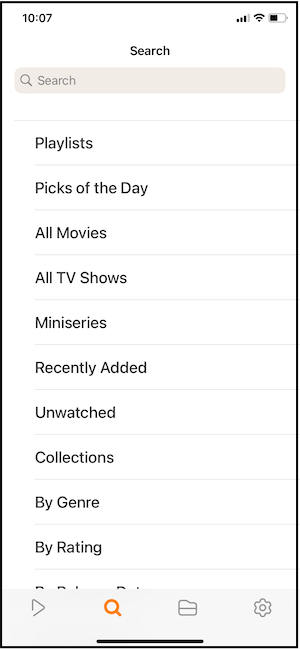
Image: Jessica Santero | WhistleOut
Infuse makes the most sense for anyone managing a personal video library or streaming from a home server, especially if you've ever dealt with a file that just wouldn't play right no matter what app you tried.
What Reddit says about Infuse
Plex users on r/PleX have switched over to Infuse as their main playback app. One explained the appeal plainly: "I never ever have to sweat about formats, video or audio." They added that the price felt cheap for what the app delivers.
Looking for the best free streaming apps?
I already tested and reviewed several streaming apps out there to find the best of the best. Read all about it in my review and start watching free TV programming on the best free streaming app.
5. Find My: The safety net you'll be glad you turned on
- Works with iPhone, iPad, Mac, Apple Watch, and AirTags
Find My has saved me more than once, and each time reminded me why it should be turned on from day one.
Find My is Apple's device and item tracker. It locates your iPhone, iPad, Mac, Apple Watch, or an AirTag using a crowdsourced network built from every other Apple device nearby, even when the lost item has no signal of its own. You can also add family members or friends to see their location, provided they've agreed to share it with you.
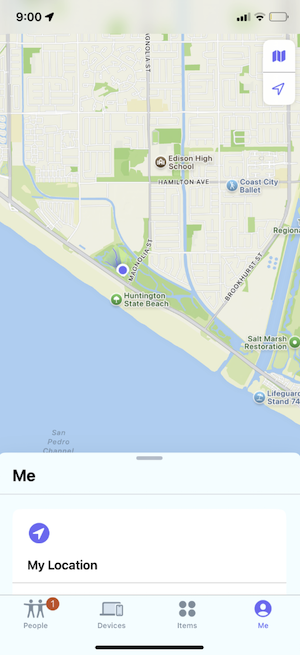
Image: Jessica Santero | WhistleOut
My phone has fallen out of my backpack while hiking, gotten wedged between my driver's seat and center console, and gone missing off a motor scooter, and in every case, having Find My already turned on meant I wasn't starting from zero when I needed it most. I also left an AirTag at a friend's house across town once, marked it as lost in the app, and had a location notification within minutes, all without the friend needing to do anything on their end.
This one's for everyone with an iPhone, honestly. If you've ever lost a phone, a set of keys, or even a pet, turning this on before you need it is the entire point.
What Reddit says about Find My
On r/readbeforebuying, one Reddit user described tracking down an AirTag left behind at a friend's house using Apple's crowdsourced device network. After marking it lost in the app, they said, "I received a notification with its location marked already."
 How I tested these apps
I downloaded and used eight iOS-exclusive apps directly on my own iPhone rather than relying on store listings alone, and narrowed the list down to the five that made the cut. That meant taking real notes in Bear, scheduling real test sessions in Fantastical, building widgets I'd actually keep in Widgetsmith, loading personal video files into Infuse, and confirming Find My's tracking held up with a lost AirTag in a real-world test. Where an app offered a free and paid tier, I used both to see what the upgrade actually adds.
Why you can trust WhistleOut
.svg)
15+
years of mobile industry experience

900+
published wireless guides

35+
firsthand carrier reviews
We've been around since the birth of the iPhone. Along the way, we've learned how to spot the best deals for your wallet (and your sanity). We spend our days researching informative guides and writing insightful reviews on every kind of wireless plan, distinguishing what matters from what doesn't. We played around with these plans before recommending them, ensuring they're worth your hard-earned money.
Want to know more? Check out how we review every cell phone plan we rank.
Best iPhone-exclusive apps: FAQ
Are any of these apps available on Android?
No, Bear, Fantastical, Widgetsmith, Infuse, and Find My are all built for Apple devices only, with no official Android release for any of them.
What should I do first when I set up a new iPhone?
Use Apple's built-in Quick Start feature to transfer your data wirelessly from your old iPhone before downloading any new apps.
Are these apps free to use?
Find My is completely free, and Bear, Widgetsmith, and Infuse all offer usable free versions with paid upgrades. Fantastical offers a free tier, but its most useful features require a Flexibits Premium subscription.
Is Widgetsmith the same as the calendar app with a similar name on Android?
No, Widgetsmith is made exclusively for iPhone and iPad, and similar-sounding widget apps on Android are unrelated products from different developers.
Do I need an AirTag to use Find My?
No, Find My works with your iPhone, iPad, Mac, and Apple Watch on its own, and AirTags are an optional add-on if you want to track items like keys, bags, or pets.
Jessica Santero
Staff Writer

Find a better phone plan
Thousands of cell phone plans unpacked. All the facts. No surprises.





