
iMessage and WhatsApp are both messaging apps, but one comes standard with your iPhone and the other is a third-party alternative built for international travel and cross-platform use. It's one of the clearer cases in the ongoing debate over Apple's native apps versus their biggest third-party rivals. We put both apps through daily use and international travel to see where each one holds up or starts to crack.
WhatsApp wins the moment you leave your carrier's network, whether that's an international trip or texting an Android user abroad, since it runs entirely on data or Wi-Fi and skips per-message international fees altogether. iMessage wins everywhere else, since its encryption and full-quality media sharing happen automatically the moment everyone in the conversation owns an iPhone.
We recommend: WhatsApp for travel, iMessage for everyone else
Switch to WhatsApp the moment you're traveling internationally or an Android phone joins the group, since it operates on data and treats every phone the same regardless of platform or location. Stick with iMessage if every phone in your group chat has an Apple logo on the back, since encryption, Tapbacks, and full-resolution photos just work without either side lifting a finger.
Quick comparison
WhatsApp:
- Completely free on iOS and Android
- Runs entirely on data or Wi-Fi, avoiding carrier text fees abroad
- End-to-end encryption regardless of what phone the other person has
- Group chats, voice messages, photo sharing, and location pinning built in
- The default messaging app in most countries outside the U.S.
- Requires both people to download and set up the app first
- No built-in Tapback-style reactions to match iMessage's exact feature set
iMessage:
- Preloaded on every iPhone, no download required
- Automatic end-to-end encryption between iPhones
- Full-quality photos, video, Tapbacks, and stickers
- Encrypted RCS to Android by default, though not every carrier supports it yet
- Falls back to SMS abroad, which can trigger international texting fees
- Tapbacks and stickers don't always render cleanly on Android
- Not available outside the Apple ecosystem at all
WhatsApp is the best messaging app for international travel
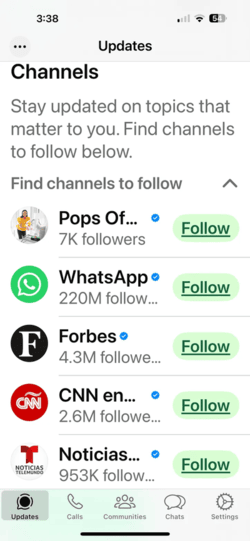
Image: Aletta Cooke
WhatsApp runs entirely over data or Wi-Fi instead of routing through your carrier, which is exactly what makes it the better pick for international travel. Since it never touches your carrier's SMS network, it can't trigger the kind of per-message international fees that catch people off guard on their first trip abroad. It also happens to be the default messaging app in most countries outside the U.S., so switching over means your group can stay in touch with tour guides, hotels, and new friends made along the way.
That same data-based approach means it also treats every phone the same. It doesn't matter whether the person you're texting has an iPhone or Android. Everyone gets the same end-to-end encryption, group chats, voice messages, photo sharing, and location pinning.
In our own testing, a group video call across three different countries came through clear and glitch-free, which is exactly the kind of test that trips up apps built around a single carrier's network. For a closer look at how it stacks up against other messaging options, check out our full breakdown of the best messaging apps.
Traveling soon? Skip the roaming fees entirely
WhatsApp already keeps you off your carrier's international texting rates. Pairing it with the right plan or eSIM keeps your data costs in check too, so nothing about your trip surprises you when you get the bill.
Compare international phone plans built for travelers, or check out our full guide to the best international phone plans:
|
T-Mobile

Essentials Saver 2.0
$100.00/mo
with Auto-Pay - Taxes & Fees NOT included
|
|
AT&T

Elite 2.0℠
$280.00/mo
+ $140 Upfront
|
|
Verizon

Simplicity Plan
$120.00/mo
+ Taxes & Fees. Price includes AutoPay & Bring a Number discount
|
iMessage is best for messaging other Apple users
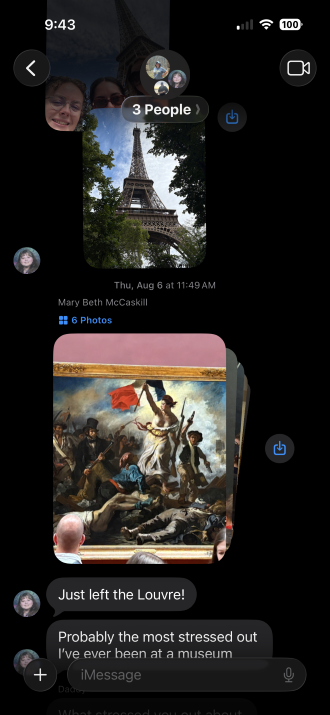
Image: Max McCaskill
iMessage's biggest strength is that you never have to think about it. It's built into every iPhone and works as a regular texting app no matter who you're messaging, whether that's another iPhone, an Android phone, or even a flip phone. After all, iMessage is where all the texts sent to your phone number live.
When you're texting another iPhone user, iMessage automatically switches to Apple's encrypted system instead of standard SMS, which is the difference between the blue and green chat bubbles. It allows full-quality photos and video, Tapbacks, and stickers to all render instantly, with zero setup on either end. Apple's system runs entirely on data, so you're never actually "texting" unless you message an Android device or sending messages when internet isn't available.
iMessage also isn't limited to your iPhone. Since it's tied to your Apple ID, the same conversations sync across your iPhone, iPad, and Mac, so you can pick up a conversation on whichever device is in front of you.
That said, iMessage's convenience is somewhat limited. If your iPhone switches to SMS while abroad, you can trigger high international texting charges on top of your normal bill, making it a dangerous travel companion when you leave a Wi-Fi network. Additionally, texting with Androids can still cause problems that don't exist with a third-party app like WhatsApp. While Apple and Google have rolled out encrypted RCS by default between iPhone and Android, it's still not live on every carrier, meaning some texts as still unencrypted. Plus, Tapbacks and stickers can show up broken or missing when messaging Androids too.
Photo and video-heavy group chats add up fast
A single text costs almost nothing in data, but full-quality photos and videos flying through a group chat can chip away at a plan faster than people expect.
Check out our guide to the best MVNOs and compare plans below:
|
Visible

$25 Visible Plan
$25.00/mo
Taxes & Fees included
|
|
Mint Mobile

Unlimited Data Plan
$30.00/mo
$90.00 upfront payment for 3 months <br>(equals to $30.00/month). <br>Intro pricing for new customers only.
|
|
US Mobile

Unlimited Starter Plan
$25.00/mo
|
How to get each app running
iMessage doesn't need a download at all, since it's built into every iPhone. It's ready to use the moment you open the Messages app.
WhatsApp is a straightforward download on either app store, and it's completely free with no premium tier. Install it, verify your phone number, and you're ready to message within a couple of minutes.
 How we tested iMessage and WhatsApp
We tested both apps across daily messaging and international travel, including:
- Messaging between iPhone and Android devices to see where iMessage's features break down
- Using WhatsApp abroad on data and Wi-Fi to confirm it avoids carrier text fees
- Testing group chats, photo sharing, and Tapback-style reactions on both apps
- Confirming which claims about encryption, RCS support, and international fees still hold up
Pricing, features, and availability may have changed since we wrote this, but we'll try our best to keep it updated.
Why you can trust WhistleOut
.svg)
15+
years of mobile industry experience

900+
published wireless guides

35+
firsthand carrier reviews
We've been around since the birth of the iPhone. Along the way, we've learned how to spot the best deals for your wallet (and your sanity). We spend our days researching informative guides and writing insightful reviews on every kind of wireless plan, distinguishing what matters from what doesn't. We played around with these plans before recommending them, ensuring they're worth your hard-earned money.
Want to know more? Check out how we review every cell phone plan we rank.
iMessage and WhatsApp: FAQ
Is iMessage or WhatsApp better for international travel?
WhatsApp is the better choice for international travel. It runs entirely on data or Wi-Fi instead of your carrier's SMS network, so it can't trigger the international texting fees that iMessage risks if it falls back to SMS while abroad.
Does iMessage work with Android phones?
Yes, you can text Android devices on the iPhone Messages app, but Androids are not part of the iMessage system. Texts to Android devices fall back to SMS or encrypted RCS, not Apple's native messaging platform.
Is WhatsApp free to use?
Yes, WhatsApp is completely free on both iOS and Android, with no premium tier or subscription required.
Can I use iMessage and WhatsApp at the same time?
Yes, it's normal to use iMessage and WhatsApp at the same time. It's common to use iMessage as your standard messaging app and switch to WhatsApp for messaging while traveling internationally or texting with large groups of Android phones.
Max McCaskill
Sr. Staff Writer

Find a better phone plan
Thousands of cell phone plans unpacked. All the facts. No surprises.


.png?w=280&h=280&usm=20&usmrad=0.8&fit=crop "Best Cell Phone Deals for October 2026: Get the New iPhone 18 Pro for Free")


.png?w=280&h=280&usm=20&usmrad=0.8&fit=crop "Cell Coverage Near You: Who Has the Best 5G Network?")


