
Every iPhone comes preloaded with an app for pretty much everything: messaging, maps, storage, reminders, even fitness. For most average users, these apps are a solid choice if you don't want to download something else on your phone. That said, for certain tasks, third-party apps may be much better than Apple's own.
Overall, Apple's built-in apps win on privacy, integration, and simplicity, while third-party apps win the moment you have a specific need Apple didn't build for. For example, the Messages app and iCloud are great choices if you're texting another iPhone or saving files within Apple's ecosystem. However, once you're texting someone on Android or syncing files with a coworker on Windows, third-party apps tend to have an immediate advantage.
We've looked into five of the most popular Apple apps and services to figure out when they're most useful, including:
- Messaging
- Maps
- Cloud storage
- Reminders
- Fitness tracking
We'll help you decide when Apple's apps are good enough to meet your needs, and when you should consider a third-party replacement.
| Category | Stick with Apple if... | Switch if... |
|---|---|---|
| Messaging | You're mostly texting other iPhone users → iMessage | You're abroad or texting Android users → WhatsApp |
| Maps & navigation | You want simple, private daily driving guidance → Apple Maps | You commute through heavy traffic → Waze |
| Cloud storage | You mostly use Apple devices → iCloud | You share files with Windows or Android devices → Dropbox |
| Reminders | You just need a quick reminder → Reminders | You're managing complex projects → Todoist |
| Fitness tracking | You own an Apple Watch and want guided workouts → Apple Fitness+ | You're training for a goal → Peloton or Zwift |
iMessage vs. WhatsApp: Which should you use while traveling?
Image: Max McCaskill
iMessage is the default messaging app built into every iPhone. It handles regular texts, group chats, and photo or video sharing. It also automatically switches to Apple's own encrypted system whenever you're messaging another iPhone user, while maintaining RCS messaging with Androids (that's the difference between the blue and green chat bubbles).
iMessage's real advantage is that encryption and widespread integration are automatic. You don't have to worry about your messages getting exposed in transit, and features like Tapbacks, stickers, and full-quality photos and videos render quickly. All of it works invisibly, as long as you're talking to another iPhone.
The moment an Android phone enters the chat, that seamlessness breaks down a little. While Apple and Google have now rolled out end-to-end encrypted RCS between iPhone and Android by default, it's still not available on every carrier. Additionally, Apple's native features like Tapbacks and stickers may not show up properly on an Android device.
Travel is another area where iMessage breaks down. If your device falls back to SMS instead of iMessage or RCS while abroad, you can trigger costly international texting fees on top of your regular plan, since standard SMS routes through your carrier rather than the internet.
Third-party apps like WhatsApp plug these gaps. It runs entirely on the internet instead of needing carrier support, so whether you have an iPhone or Android, your messages are protected with end-to-end encryption and cannot incur additional international texting fees. It's also the default message system in most countries outside the U.S., which makes it the best choice when texting people like tour guides and your hotel, or keeping up with new friends from your hostel.
- Choose iMessage if: You're mostly texting other iPhone users and want fully encrypted messaging without thinking about it.
- Choose WhatsApp if: You're traveling internationally, texting Android users on carriers that haven't rolled out encrypted RCS, or you just want messaging that works the same no matter who's on the other end.
Apple Maps vs. Waze: Does Apple Maps finally beat it?
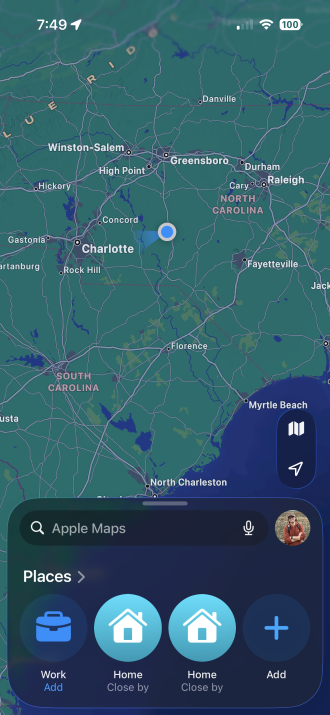
Image: Max McCaskill
Apple Maps is the iPhone's built-in navigation app, handling turn-by-turn directions, offline maps, and transit routing without needing a separate download. It's also the default option tied to Siri and CarPlay.
Apple Maps comes preloaded on every iPhone, so it's automatically one of the most popular map apps, and it gives an excellent experience for general driving. It doesn't require a separate account, offers tight CarPlay support, has offline map capability, and it doesn't sell your location data the way plenty of other third-party map apps do. For daily driving and basic directions, it's genuinely fine.
However, Apple Maps doesn't offer the most important feature included in apps like Waze: real-time, crowd-sourced traffic reports. Waze leans on real-time reports from other drivers in your area to flag what's ahead before you reach it, including traffic accidents, construction zones, and speed traps. Waze also works with other Apple programs like CarPlay, but it does require you to take the extra step of opening it whenever you start your car.
- Choose Apple Maps if: You want a clean, privacy-respecting default that's tightly integrated into CarPlay and Siri.
- Choose Waze if: You commute through heavy traffic and want real-time hazard and police alerts from other drivers.
iCloud vs. Dropbox: Is iCloud actually better?
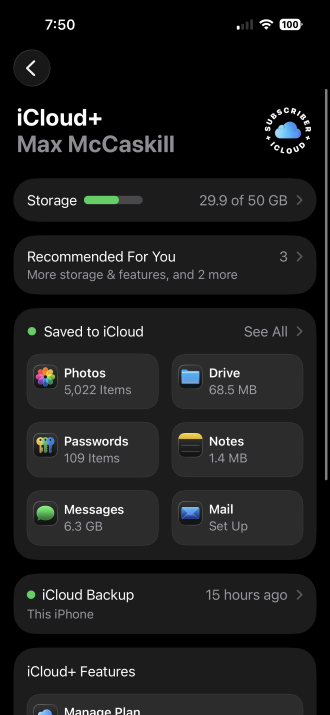
Image: Max McCaskill
iCloud is Apple's built-in cloud storage and device backup system. It automatically backs up your photos, device settings, and files, then syncs them across every Apple device signed into the same account. It's important to note that iCloud itself is not an app, but its services stretch across virtually every app on your phone.
iCloud's whole pitch is that it works without you doing anything, as long as you're using an Apple device. Photos back up automatically, Handoff picks up where you left off between devices, and your storage tier is tied to a subscription that's easily bundled with other Apple services like Apple Music, Apple News, or Apple TV.
iCloud is best for syncing your files automatically, without you ever opening the app or thinking about it. Third-party apps like Dropbox win the moment someone outside the Apple ecosystem needs your files.
Third-party apps like Dropbox are cross-platform file synchronization and cloud storage services. They work on platforms like Mac, iOS, Windows, Android, Linux, and more. No matter what platform the other person is on, everyone can easily log in and use the service. That said, much like iCloud, Dropbox will also require a fee for larger files, multiple devices, or extra users.
- Choose iCloud if: You're all-in on Apple devices and want backups and photos to sync without thinking about it.
- Choose Dropbox if: You regularly share files with people on Windows or Android, or you need real version control and collaboration features.
Apple Reminders vs. Todoist: Which is better for productivity?
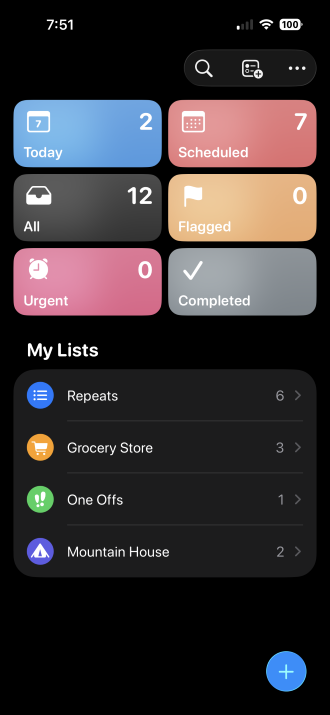
Image: Max McCaskill
Reminders is Apple's default to-do list app. It's built into every Apple device for easily synced lists, and is tied directly into Siri and the Calendar app. It lets you create simple lists and set due dates, locations, or time-based alerts for individual tasks.
Reminders is fine for basic daily tasks, but it's not the best option for complex planning that involves multiple moving parts or people.
Third-party apps like Todoist are built for complicated planning that is too advanced for Reminders. Todoist relies on a more complex structure by adding sections within a project, filters that combine multiple criteria at once, and a points-based motivation system called Karma that tracks streaks and levels as you complete tasks. Plus, like other third-party apps, it works the same whether your project partner is on Android or Windows.
- Choose Reminders if: You just need a quick reminder, like grocery lists, an upcoming event, or a note to call someone back.
- Choose Todoist if: You're managing recurring projects, want advanced filters, or need something that works the same on Windows and Android.
Apple Fitness+ vs. Peloton and Zwift: Which one gets you moving?
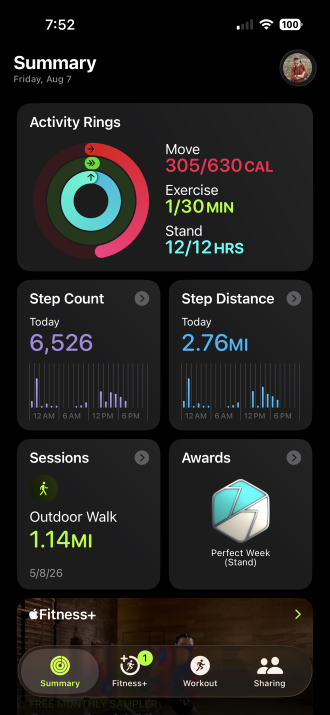
Image: Max McCaskill
Apple Fitness+ is Apple's subscription-based workout service, built specifically around the Apple Watch. It lives inside the Fitness app and streams studio-style video workouts across categories like HIIT, yoga, and strength training, with your real-time heart rate and calorie burn overlaid directly on the screen. It costs $9.99 per month or $79.99 annually, and requires an Apple Watch if you want the full experience of seeing your live stats. Otherwise, you'll simply have access to the videos.
If you have an Apple Watch, Fitness+ requires no extra equipment. Your heart rate and calorie burn show up directly on the workout video, sessions run in tidy 10, 20, or 30-minute blocks, and there's no major learning curve. It's a low-commitment way to stay consistent, which is the hardest part of any fitness routine.
Apple's system is the easiest on-ramp for paid workouts if you already own an Apple Watch. Apps like Peloton and Zwift both go further, with a more premium experience and targeted workouts. However, they may also require more expensive subscriptions and additional equipment for the full experience.
Peloton offers a much larger class library and active community. Zwift offers real structured training, but you'll need a smart trainer to use it at all. However, for users who are serious about their workouts, these platforms and apps easily beat Apple Fitness+.
- Choose Fitness+ if: You want low-friction guided workouts that sync automatically with your Apple Watch rings.
- Choose Peloton if: You want instructor-led classes, leaderboard motivation, and variety across cycling, running, and strength.
- Choose Zwift if: You already have a smart trainer and want structured, power-based training with virtual routes and live racing.
Why should you choose Apple's native apps?
Apple's built-in apps are woven directly into iOS, which is why they tend to win on setup, privacy, and everyday reliability without you doing any extra work. If most of your life already runs through an iPhone, Apple Watch, or Mac, sticking with the native app is usually the path of least resistance.
Apple apps and services: Pros and cons
Pros:
- Tighter integrations with iPhone, Apple Watch, and CarPlay
- Privacy-first by default, since most Apple apps don't sell your data or require a separate account
- Free with your device, with extra subscriptions usually only needed for specific services
- Work reliably out of the box with minimal setup
Cons:
- Weaker or nonexistent support when working with Android and Windows
- Fewer advanced features for power users, like structured training plans or granular file collaboration
- Locks your data and workflows into Apple's ecosystem, which makes switching platforms later harder
- Some features only reach full value if you also own other Apple hardware
Why should you choose third-party apps over Apple?
Third-party apps exist because Apple's version is only built to meet the needs of average users. They don't offer every feature or cater to people who are looking for increased productivity or high-intensity workouts. Once your needs get specific, like training seriously for a race, collaborating with people on other platforms, or staying reachable while traveling, an app built around that exact problem tends to pull ahead of Apple's more general-purpose version.
Third-party apps and services on iPhone: Pros and cons
Pros:
- Built around one specific need, so features go deeper in that area, like structured training, file collaboration, or project management
- Cross-platform compatibility on Android, Windows, and iPhone, so nobody in the group gets left out
- Not tied to owning specific Apple hardware, though some, like Zwift, come with their own equipment requirements instead
- Often free or reasonably priced at the tier most people actually need
Cons:
- Usually require their own accounts, separate from your Apple ID
- Weaker integrations with Apple-specific features like Siri, Face ID, or CarPlay
- More of your data lives with a company that isn't Apple, so privacy practices vary from app to app
- One more app taking up storage space, and one more subscription to keep track of
Native Apple apps vs. third-party apps: FAQ
Is it safe to use third-party apps instead of Apple's built-in apps?
Yes, it is generally safe to use third-party apps instead of Apple's apps. Reputable third-party apps like WhatsApp, Dropbox, Todoist, Waze, Peloton, and Zwift all have solid security track records and clear privacy policies. That said, smaller, less-known apps may have reliability or privacy issues. Always read each third-party app's privacy policies and reviews to ensure it's a good service for your iPhone.
Do third-party apps work as well with Apple Watch, CarPlay, or Siri?
Not every third-party app works well with Apple Watch, CarPlay, and Siri. Apps like Waze and Todoist both support CarPlay and Siri integration reasonably well. Others, like Zwift, don't touch Apple's ecosystem at all since they're built around their own hardware and platforms instead. If you want your apps to work with Apple's other services, your best experience will always be with Apple's native apps.
Will switching away from Apple's apps break iCloud sync?
No, switching to a third-party messaging, storage, or task app doesn't affect iCloud's core functions, like device backups or Photos syncing. In fact, those apps may also save their data in iCloud as part of your iPhone's data backup system.
Can I use both Apple's app and a third-party app at the same time?
Yes, most people use both Apple's apps and third-party apps at the same time. It's common to use iMessage with other iPhone users and WhatsApp for international contacts, or iCloud for automatic backups while using Dropbox for shared work files. Apple does not require you to pick just one.
Max McCaskill
Sr. Staff Writer

Find a better phone plan
Thousands of cell phone plans unpacked. All the facts. No surprises.





