
One UI 9 is here, and it's already running on the Galaxy Z Fold8, Z Fold8 Ultra, Z Flip8, and Galaxy S26 FE. Samsung has also started rolling it out to the Galaxy S26, S26+, and S26 Ultra in September, and the rest of the eligible Galaxy lineup should get it before the end of the year.
Most new features are coming to every eligible Galaxy, including the redesigned lock screen clock, new security tools, and smarter Now Nudge suggestions. Here's every confirmed and rumored One UI 9 feature, which phones get Gemini Intelligence, and when your Galaxy should see the update.
One UI 9 release date and rollout schedule
One UI 9 is available now on the Galaxy Z Fold8, Z Fold8 Ultra, Z Flip8, and Galaxy S26 FE, and it has already started rolling out to the Galaxy S26, S26+, and S26 Ultra on September 16, 2026.
The rest of the eligible lineup, including older flagships, foldables, Galaxy A phones, and tablets, is expected to get One UI 9 from October through the end of 2026, and here's where each Galaxy stands in the rollout so far.
One UI 9 rollout status by Galaxy device
| Galaxy devices | One UI 9 status |
|---|---|
| Galaxy Z Fold8, Z Fold8 Ultra, Z Flip8 | Shipped with One UI 9 (July 2026) |
| Galaxy S26 FE | Shipped with One UI 9 (September 4, 2026) |
| Galaxy S26, S26+, S26 Ultra | Rolling out now (started September 16, 2026) |
| Galaxy S25 series, Z Fold7, Z Flip7 | Expected late September 2026 |
| Galaxy S24 series, S23 series, Z Fold6, Z Flip6, Z Fold5, Z Flip5 | Expected October through December 2026 |
| Galaxy A series, Galaxy Tab | Expected October through December 2026 |
How to check for the One UI 9 update on your Galaxy
Samsung rolls out updates by region and carrier, so two people with the same phone can get the One UI 9 rollout days or even weeks apart.
You can check for it manually by going to Settings > Software update > Download and install.
Samsung One UI 9 eligible devices
Samsung One UI 9 eligible devices include the Galaxy S23 series and newer, the Galaxy Z Fold5 and Z Flip5 and newer, and most Galaxy A phones released in 2023 or later.
Samsung hasn't published a complete official list, so the table below is based on Samsung's update policy and the phones already in the One UI 9 beta program. Anything Samsung has promised four or more years of Android updates to, and launched in 2023 or later, is in line for the update.
Galaxy devices eligible for One UI 9
| Series | Eligible models |
|---|---|
| Galaxy S | S26, S26+, S26 Ultra, S26 FE, S25, S25+, S25 Ultra, S25 Edge, S25 FE, S24, S24+, S24 Ultra, S24 FE, S23, S23+, S23 Ultra, S23 FE |
| Galaxy Z | Z Fold8 Ultra, Z Fold8, Z Flip8, Z TriFold, Z Fold7, Z Flip7, Z Flip7 FE, Z Fold6, Z Flip6, Z Fold5, Z Flip5 |
| Galaxy A | A57, A56, A55, A54, A37, A36, A35, A34, A26, A25, A17, A16, A07 |
| Galaxy Tab | Tab S9 series and newer |
Many eligible phones are also easy to find on budget carriers like Consumer Cellular. Several of the best Consumer Cellular phones, including the Galaxy A37, Galaxy S26, and Galaxy Z Flip8, are on the One UI 9 list.
What is Gemini Intelligence on One UI 9?
Gemini Intelligence is Google's new system-level AI layer for Android, and on One UI 9 it lets Gemini complete multi-step tasks across more than 40 apps from a single request.
Earlier versions of Gemini handled one question or one action at a time, while Gemini Intelligence strings the steps together on its own. So your phone can do things like looking up tickets, finding a nearby restaurant, and booking a table all on its own.
Here are the Gemini Intelligence features available on Galaxy phones right now:
- App automation: Gemini can complete a task across more than 40 supported apps, and it can use what's on your screen or a photo to get started.
- Gemini Notebook: Google's NotebookLM is built into the phone, so you can turn notes, PDFs, and recordings into audio overviews, recaps, or reports. On the Galaxy Z Fold8, you can drag files in from the Split view.
- FlexWindow access: The Galaxy Z Flip8 lets you start a Gemini task from the cover screen with the side key or your voice.
- Chrome auto browse: Gemini in Chrome can book appointments or reserve parking for you, but it's US-only and requires Google AI Pro or AI Ultra. Galaxy Z Fold8 and Z Flip8 buyers get six months of AI Pro free.
Google has also announced Gemini Intelligence features that will hit Galaxy phones soon:
- Rambler: Rambler turns messy voice dictation in Gboard into clean text, but it's exclusive to the Pixel 11 for now.
- Create My Widget: Create My Widget builds a custom home screen widget from a plain-language description.
- Smarter Autofill: Autofill with Google will pull details from your connected Google apps to fill out longer forms.
Which Galaxy phones get Gemini Intelligence features?
Gemini Intelligence is currently available only on the Galaxy Z Fold8, Z Fold8 Ultra, and Z Flip8.
The Galaxy S26, S26+, and S26 Ultra also meet Google's hardware requirements, but Samsung hasn't said when the full version of Gemini Intelligence is coming to those phones. Until then, S26 owners have an earlier version of Gemini's app automation that works with fewer apps.
Gemini Intelligence features by Galaxy phone
| Gemini Intelligence feature | Z Fold8 and Z Fold8 Ultra | Z Flip8 | S26, S26+, S26 Ultra | S26 FE and older Galaxy phones |
|---|---|---|---|---|
| App automation across 40+ apps | Yes | Yes, plus FlexWindow access | Earlier version only | No |
| Screen and image context | Yes | Yes | Not yet confirmed | No |
| Gemini Notebook | Preinstalled | Preinstalled | Not yet confirmed | No |
| Chrome auto browse | Yes, with AI Pro or Ultra | Yes, with AI Pro or Ultra | Yes, with AI Pro or Ultra | Yes, with AI Pro or Ultra |
| Rambler in Gboard | Not yet | Not yet | Not yet | No |
| Create My Widget | Not yet | Not yet | Not yet | No |
| Gemini-powered Autofill | Not yet | Not yet | Not yet | No |
Galaxy S26 FE 5G 128GB
- 6.7 inch display
- Rear Cameras: 50MP, 12MP, 8MP
- Front Camera: 12MP
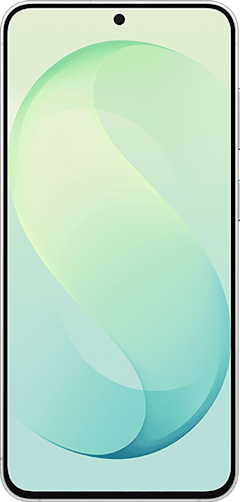
Galaxy S26 FE 5G 256GB
- 6.7 inch display
- Rear Cameras: 50MP, 12MP, 8MP
- Front Camera: 12MP
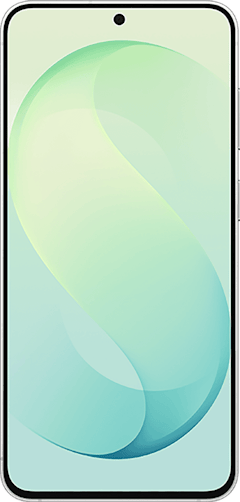
Galaxy Z Fold8 Ultra 5G 256GB
- 8 inch display
- Rear Cameras: 200MP, 50MP, 10MP
- Front Cameras: 10MP, 10MP
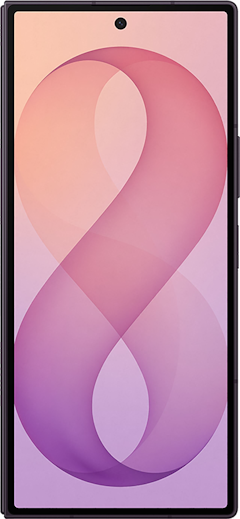
Galaxy Z Fold8 Ultra 5G 1TB
- 8 inch display
- Rear Cameras: 200MP, 50MP, 10MP
- Front Cameras: 10MP, 10MP
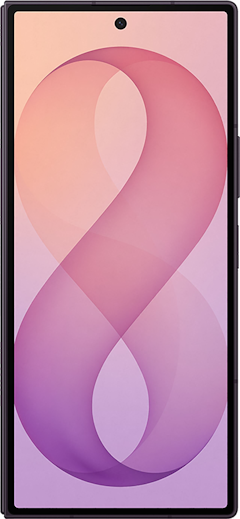
Galaxy Z Fold8 Ultra 5G 512GB
- 8 inch display
- Rear Cameras: 200MP, 50MP, 10MP
- Front Cameras: 10MP, 10MP

One UI 9 design changes: Lock screen, Quick Panel, and more
One UI 9 isn't a full Samsung redesign, but it does bring a redesigned lock screen clock, a more customizable Quick Panel, and a more colorful media player.
Most of the changes build on the big visual overhaul from One UI 8.5 rather than replacing it. Here are the biggest One UI 9 design changes:
- Lock screen clock: The default clock has a cleaner look that adapts its style to match your wallpaper.
- Media player: The lock screen and Quick Panel media player now use colorful waveform animations that follow your album art.
- Cover screen wallpaper: On foldables and flip phones, One UI 9 positions your wallpaper so the important part of the photo doesn't end up behind the clock.
- Quick Panel: You can resize the brightness slider, volume slider, and media player, and separate the sound mode button from the volume slider.
- Home screen search: You can add a Samsung Finder or Google search bar to the bottom of your home screen by pinching the home screen and going to Settings > Show search on Home screen.
- Multitasking: One UI 9 supports two-app and three-app split screen, and Android 17 lets you open almost any app in a floating bubble.
- Foldables: Seamless Screen on the Galaxy Z Fold8 adjusts content as you rotate the phone, and the Z Flip8's FlexWindow now works more like a full home screen.
- Samsung apps: Samsung Notes adds a Tape tool that hides part of a note until you tap it, and Samsung Health gets a full redesign.
- Accessibility: Text Spotlight enlarges any text you tap, and Select to Speak reads an item on your screen out loud without turning on TalkBack.
New One UI 9 security features
One UI 9 adds new security features that make it harder for someone to access your phone and easier to spot apps that misuse your data.
Here are the security features new to One UI 9:
- Quick lockdown: Pressing and holding the Volume Down and Side buttons, or tapping the Power button in the Quick Panel, locks your phone and turns off face and fingerprint unlock until you enter your PIN, password, or pattern.
- Location indicator: A blue dot appears at the top of the screen whenever an app uses your location, and tapping it in the Quick Panel shows which app it is.
- AI privacy alerts: One UI 9 watches how apps use their permissions and warns you when one reaches for personal data it doesn't need.
- Security alerts in Now Brief: Now Brief warns you about malware, apps from unknown sources, and risky permissions, and it blocks apps flagged as malicious from opening until you decide whether to remove them.
- Safer browsing: Samsung Internet warns you before a dangerous website loads, and Scam Detection is expanding to more regions.
- Warranty and care: A new menu in Settings shows your warranty status, runs diagnostics, and lets you book repairs.
One UI 8.5 vs. One UI 9: The key differences
The key difference between One UI 8.5 and One UI 9 is that One UI 8.5 was Samsung's big visual refresh, while One UI 9 builds on that design and puts most of its effort into AI, security, and Android 17.
One UI 9 is built on Android 17, which brings app bubbles, better support for large and foldable screens, and under-the-hood changes aimed at smoother performance. Our latest Android OS version guide breaks down everything Android 17 adds.
One UI 8.5 vs. One UI 9 at a glance
| Feature | One UI 8.5 | One UI 9 |
|---|---|---|
| Android version | Android 16 | Android 17 |
| Design | Major visual refresh and new Quick Panel | New lock screen clock, resizable Quick Panel controls, new media player |
| Now Nudge | Keyboard suggestions only | Keyboard, conversation notifications, and a floating button |
| Gemini | Early task automation on the Galaxy S26 | Gemini Intelligence on eligible phones |
| Security | Auto Blocker | Quick lockdown, location indicator, AI privacy alerts, Now Brief security alerts |
| Parental Controls | Inside Digital Wellbeing | Its own section in Settings |
Samsung One UI 9: FAQ
When is One UI 9 coming out?
One UI 9 is out now on the Galaxy Z Fold8, Z Fold8 Ultra, Z Flip8, and Galaxy S26 FE, and it started rolling out to the Galaxy S26 series on September 16, 2026. The Galaxy S25 series, Z Fold7, and Z Flip7 are next in line in late September, and Samsung plans to update the rest of its eligible phones and tablets by the end of 2026.
Which Galaxy devices are eligible for One UI 9?
Galaxy devices eligible for One UI 9 include the Galaxy S23 series and newer, the Galaxy Z Fold5 and Z Flip5 and newer, most Galaxy A phones from 2023 or later, and the Galaxy Tab S9 series and newer. The Galaxy S22 series, Z Fold4, and Z Flip4 are not getting the update.
Will One UI 9 add new security features?
One UI 9 includes several new security features, including a lockdown shortcut that blocks biometric unlock, a blue location indicator, AI privacy alerts, and security warnings in Now Brief. Samsung is also rumored to be adding an optional MTE memory security toggle to Auto Blocker, but it isn't in the official changelog yet.
What are the key differences between One UI 8.5 and One UI 9?
The biggest difference between One UI 8.5 and One UI 9 is that One UI 9 runs on Android 17 and focuses on AI and security, while One UI 8.5 was mostly a visual overhaul. One UI 9 also adds Gemini Intelligence on eligible phones, expands Now Nudge beyond the keyboard, and gives you more control over the Quick Panel layout.
Is One UI 9 the last update for the Galaxy S23 and Galaxy Z Fold 5?
One UI 9 is the last major Android update for the Galaxy S23 series, Galaxy Z Fold5, Galaxy Z Flip 5, and other Galaxy phones that launched in 2023 with a four-year update promise. These phones will keep getting security patches after One UI 9, but they won't get the next major One UI version.
Scott Houghton
Jr. Staff Writer

Find a better phone plan
Thousands of cell phone plans unpacked. All the facts. No surprises.





