
So, I'm not a professional photographer. I just like taking pictures and making them look better afterward. And while none of these apps improve your phone's actual camera hardware, they do make your pictures look loads better with filters and editing tools. I used both an iPhone 11 and a Samsung Galaxy S24 FE for testing to see how much better my pictures turned out on past-gen technology. I also stuck to the free tier of each app, and judged them on photo quality, ease of use, and how enjoyable the editing process felt.
These are the best camera apps for photography on your phone.
Best camera apps compared
| App | Available on | Price | Best for |
|---|---|---|---|
| Hipstamatic | iPhone only | Free, subscribe for more features | A nostalgic, film-camera experience |
| VSCO | iPhone and Android | Free, subscribe for more features | On-the-go editing (especially selfies) |
| Adobe Lightroom | iPhone and Android | Free, subscriptions available | Deep manual editing controls |
| A Color Story | iPhone and Android | Free, but very limited features; subscribe for more | Instagram-ready edits |
Hipstamatic turns every photo into a nostalgic memory
4.5 out of 5 overall
- Free, subscription for full features
- Available for iOS only
It isn't just a camera app. It's a full experience (and I'm all about it).
Hipstamatic is a retro-style camera app that simulates shooting with vintage and modern film cameras. You get swappable lenses and film stocks, plus access to a photo-sharing community.
To start shooting with Hipstamatic, sign up with your email, then open the app by twisting a lens on the screen (and I mean that symbolically). The app has you tap a lens to mimic how you'd twist one on a real camera for the full immersive effect.
From there you pick a camera body and film stock, and then you can start taking pictures through hardware that feels like it's from another era. Once you take the photo, you even get to shake your phone like a Polaroid (any Outkast fans?) to develop it.
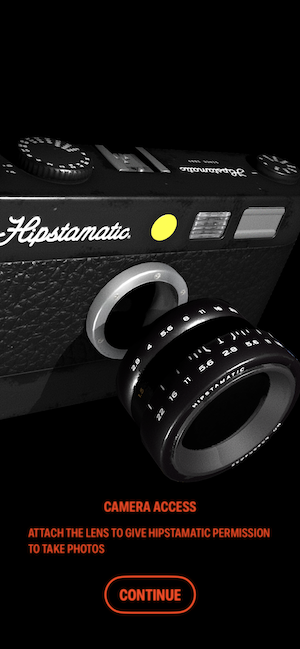
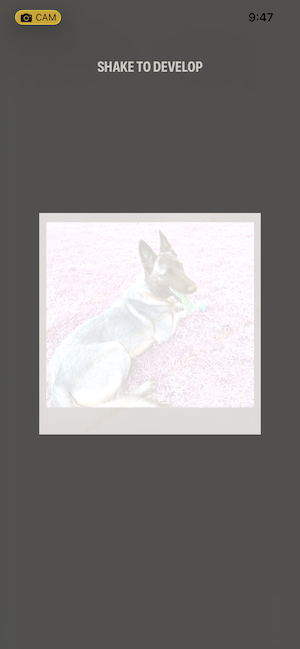
Some users might hate the process steps, but I appreciated developing my own film on my phone.
Images: Jessica Santero | WhistleOut
When I was a kid, the best part of a family vacation was when my mom handed me a disposable camera and an entire roll of film so I could take as many pictures as I wanted the whole trip. You know the kind where you actually had to turn a dial on top to advance to the next open frame. Hipstamatic doesn't replicate the physical camera in your hands, but it captures that same nostalgic feeling, which makes it the closest thing to a disposable camera app on this list.

Image: Jessica Santero | WhistleOut
It's all about the process, and I loved every part of it. The filters stood out more than anything else I tested. Each one has an identity, and you can soften or strengthen the effect afterward. Hipstamatic also has its own community section, similar to Lightroom's, where users share shots and prompts. Unfortunately, you only get a limited selection of lenses for free, but a subscription unlocks hundreds of additional cameras and films.
Loading filters away from Wi-Fi eats data fast
If you want to use these apps' filters anywhere outside Wi-Fi, you're going to need a solid data plan. Filters like these take time to load and need a steady connection to pull it off.
Check out some of the most popular budget-friendly unlimited data plans below:
|
Visible

$19 Visible Plan
$19.00/mo
Taxes & Fees included
|
|
Mint Mobile

Unlimited Data Plan
$15.00/mo
$45 for 3 months of service
|
|
Verizon

Simplicity Plan
$30.00/mo
+ Taxes & Fees. Price includes AutoPay & Bring a Number discount
|
VSCO gives you real editing control in easy-to-use software
4 out of 5 overall
- Free, subscription for full features
- Available for iOS and Android
VSCO strikes a balance between a basic filter app and full-blown editing software.
VSCO is a photo and video editing app that pairs manual tools with AI-suggested edits based on your photo. And it's one of the best camera apps for editing selfies.
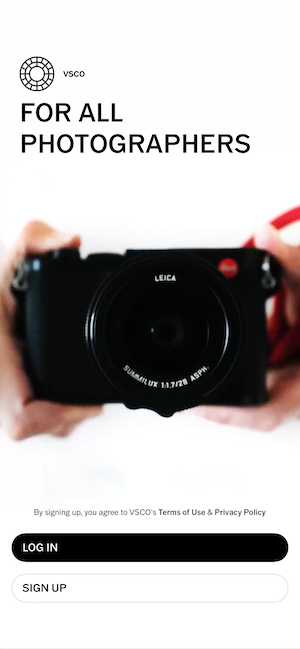
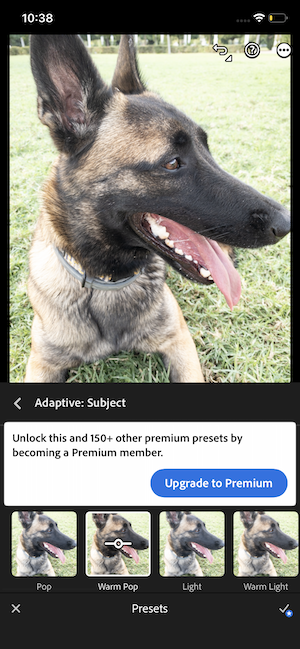
Here's what the free version of VSCO looks like on my iPhone. Choose from the preset filters once they load.
Images: Jessica Santero | WhistleOut
If you want full technical control over an image, you're probably going to end up on a laptop with dedicated editing software anyway. But for editing on the go, straight from your phone's camera roll, VSCO is a solid choice. You can choose to shoot directly in the app or upload existing photos, and as soon as you upload one, VSCO immediately suggests edits and filters for it.
From there, you can adjust the intensity of any suggested filter or move into manual editing. There's also a "remove distractions" AI tool you can use to remove stray people in the background. But keep in mind that most current iPhones, Samsungs, and Pixels already do this natively, too. The filters and editing tools go further than a default camera app, and VSCO offers more of them for free than most other apps on this list. That makes it a strong pick if selfies are most of what you shoot.
Adobe Lightroom has amazing editing tools, but the free tier doesn't show them off
3 out of 5 overall
- Free, subscription for full features
- Available for iOS and Android
You'll want to subscribe or pay for this app to access its best features.
Think of Lightroom as Adobe's mega editing software shrunk down for your phone, with manual sliders, AI quick actions, and preset filters.
Lightroom asks you to create an Adobe account before you can do anything, and sadly, most of its useful features sit behind a subscription. If you want to check it out, you'll see the home screen has three tabs:
- One for every photo uploaded from your phone
- One for editing
- One for a community feed where people share edits and trade prompts
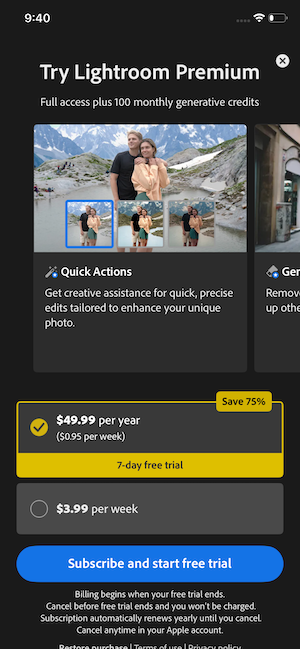
Image: Jessica Santero | WhistleOut
However, the community tab felt less like an active group and more like a ghost thread when I checked it. I don't think many people use that part of the app.
That said, editing any image itself is simple. Pick a photo, then either choose a Quick Action or dig into individual sliders for light, color, blur, detail, optics, profiles, and saturation. Just one word to the wise: the Quick Actions took close to six minutes to load on both of my test phones. By the third minute, I was left questioning whether they were worth the wait. Once some loaded, I added the adaptive subject preset on a photo of a dog I was dog-sitting, and the result was fine. But nothing stood out because it's one of the free actions. Most of Lightroom's premium features sit behind the subscription, which are undoubtedly better.
A better camera app still can't fix bad hardware
These apps do a lot with the photo you already took, but they can't add megapixels or a better lens your phone doesn't have. If your photos still look flat after editing, the camera itself might be the problem.
Check out our picks for the best smartphone cameras on the market.
Galaxy A26 5G
- 6.7 inch display
- Rear Cameras: 50MP, 8MP, 2MP
- Front Camera: 13MP
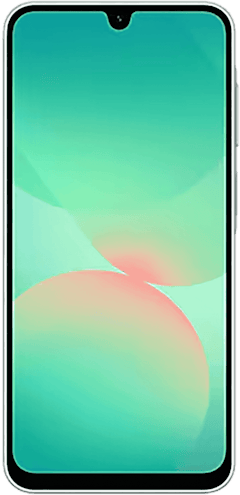
Galaxy A27 5G 128GB
- 6.7 inch display
- Rear Cameras: 50MP, 5MP, 2MP
- Front Camera: 12MP
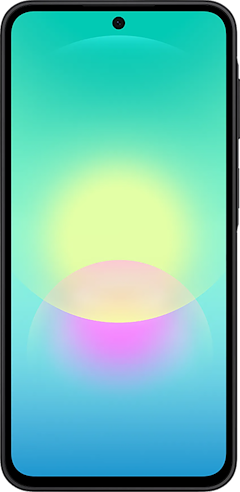
Galaxy A37 5G 128GB
- 6.7 inch display
- Rear Cameras: 50MP, 8MP, 5MP
- Front Camera: 12MP
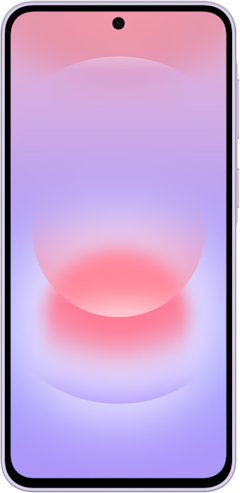

A Color Story was built for Instagram, right down to the grid preview
3 out of 5 overall
- Very limited free features
- Free 3-day trial, then $29.99/year or $4.99/month
- Available for iOS and Android
It gives serious Instagram vibes, and it even lets you preview your grid before you post.
A Color Story is a photo editing app built around Instagram-style aesthetics and workflow.
Immediately upon opening the app, you are walked through specific filters that look like they've come straight from Instagram itself.
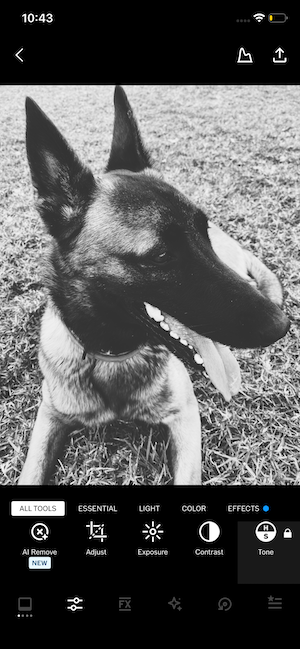
Image: Jessica Santero | WhistleOut
That said, this app does cost money, but you can try it out in a free trial. The yearly plan comes with a free three-day trial, but after that it's $29.99/year. You can also go month-to-month for $4.99/month. A Color Story was the only app I tried that felt modern. The background was a selection of user-submitted photos, and you can use a really simple toolbar at the bottom. The filter names were less technical and more whimsical, like Perfect Day, Buttercup, Nice and Clean. But again, this app is geared towards influencers.
A note on Halide and ProCamera
Halide and ProCamera are two of the most respected camera apps in mobile photography, but neither one offers a free tier to try before you buy. I'm always cautious about paying for a subscription without really giving it a go first, and I'd rather test an interface before handing over payment information, even for a free trial. That's why neither made this list.
 How I tested these camera apps
I tested each app on the free tier only, since that's what most people try before deciding whether a subscription is worth it. Here's what I looked for:
- Photo quality: Did the edited result actually look better than the original, or was the enhancement barely noticeable?
- Ease of use: Could I figure out the editing tools without a tutorial, or did the interface get in the way?
- Editing enjoyment: Beyond the technical result, did the actual process of editing feel worth spending time on?
- Free tier value: How much can you genuinely do without paying, versus how much is locked behind a subscription?
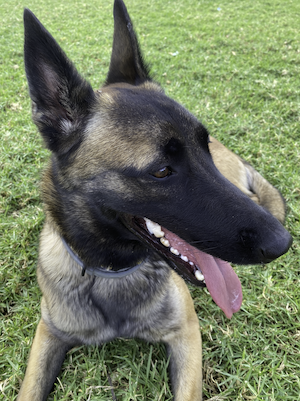
Image: Jessica Santero | WhistleOut
I ran every app through the same test photo, so the comparisons would be fair, then tried each app's own suggested or signature edit style on top of that.
Why you can trust WhistleOut
.svg)
15+
years of mobile industry experience

900+
published wireless guides

35+
firsthand carrier reviews
We've been around since the birth of the iPhone. Along the way, we've learned how to spot the best deals for your wallet (and your sanity). We spend our days researching informative guides and writing insightful reviews on every kind of wireless plan, distinguishing what matters from what doesn't. We played around with these plans before recommending them, ensuring they're worth your hard-earned money.
Want to know more? Check out how we review every cell phone plan we rank.
Best camera apps: FAQ
What is the best camera app for iPhone?
Hipstamatic is my top pick for iPhone. Its film-and-lens simulation made it the most fun I've had with my camera in a long time.
What is the best camera app for Android?
VSCO is my top pick for Android. It offers a decent set of free editing tools and suggests edits as soon as you upload a photo.
What is the best vintage camera app?
Hipstamatic is built entirely around simulating vintage and retro film cameras, down to the lenses and film stocks you choose.
What is the best camera filter app?
Hipstamatic's filters stood out more than any other app I tested, and you can soften or strengthen each one after you shoot. If you're on Android, A Color Story makes it really easy to get your images Instagram-ready.
What is the best selfie camera app?
VSCO offers more free editing tools than most apps on this list, and its suggested edits make quick selfie touch-ups easy without paying for a subscription.
Is there a good disposable camera app?
Hipstamatic isn't a true disposable camera app, but its film-and-lens simulation captures a similar nostalgic feeling.
Jessica Santero
Staff Writer

Find a better phone plan
Thousands of cell phone plans unpacked. All the facts. No surprises.





