
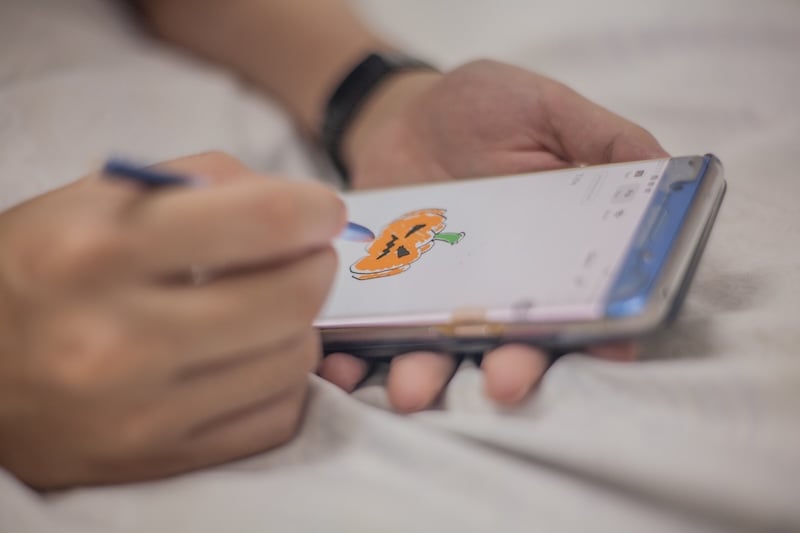
You don't need a tablet or a stylus to start drawing. You just need the right app on the phone you already have. I tested five drawing apps on both my iPhone 11 and Samsung Galaxy S24 FE to find the best options for budding and experienced artists alike.
With these apps, your finger doodles and masterpieces come to life. Plus, all three are free to download, and I tested the free tier of the pricier apps so you know exactly what you get before paying a cent.
Best drawing apps for your phone at a glance
| App | Available on | Price | Best for |
|---|---|---|---|
| Sketchbook | iPhone and Android | Free | Your everyday sketchbook |
| ibisPaint X | iPhone and Android | Free, with ads. Subscriptions available. | Detailed painting on a small screen |
| MediBang Paint | iPhone and Android | Free, with ads. Subscriptions available. | Comics, manga, and cross-device drawing |
1. Sketchbook: The easiest drawing app to pick up and start doodling
4 out of 5 overall
- Free
- Available for iOS and Android
Sketchbook is the drawing app I'd hand to anyone who's never drawn on a phone before.
Sketchbook is a free drawing app for iPhone and Android, and it's undeniably the best. It works wonderfully for quick sketches and everyday drawing, as well as more in-depth digital designs. It includes pencils, pens, markers, and textured brushes, along with layers, symmetry tools, and perspective guides to make sure all of your horizontal landscapes are absolutely perfect. It probably has the cleanest interface of all of the apps that I tested. It's very minimalistic without having extremely distracting elements, which leaves most of the screen free for your canvas. You may not think that's important, but when you're drawing on a very small screen, you really do need as much space as possible to be creative.
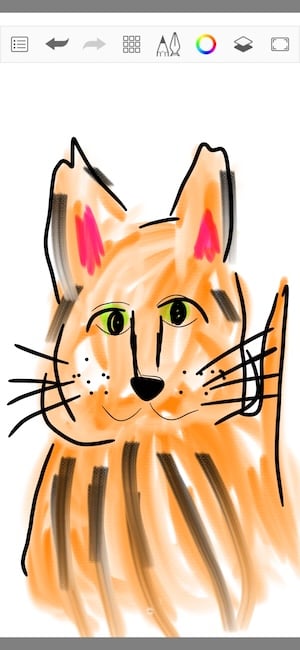
Image: Jessica Santero | WhistleOut
Sketchbook is best suited to sketching and line work, so artists who want painting effects or comic tools may find it limited compared with the other apps on this list. For a closer look, read my full Sketchbook review. It also made the list of the best apps for foldable phones for the more serious artists looking for a transition into digital drawing.
Take your art with you wherever you go
Saving your drawings to the cloud and picking them up on another device uses mobile data, and so do the ads in free apps. An unlimited data plan lets you sketch, save, and sync your work anywhere without worrying about a monthly cap.
Compare the best unlimited data plans below to find one that fits your budget.
|
Visible

$25 Visible Plan
$25.00/mo
Taxes & Fees included
|
|
Mint Mobile

Unlimited Data Plan
$30.00/mo
$90.00 upfront payment for 3 months <br>(equals to $30.00/month). <br>Intro pricing for new customers only.
|
|
T-Mobile

Essentials Saver 2.0
$50.00/mo
with Auto-Pay - Taxes & Fees NOT included
|
2. ibisPaint X: A full painting studio that fits in your pocket
3.5 out of 5 overall
- Free, with ads
- Available for iOS and Android
I've always stuck to physical media through my time experimenting with watercolor and oil painting, but I'd never really dabbled in digital art. So I was honestly surprised by how much fun I had with ibisPaint X. There are loads of brushes to choose from, and the pressure sensitivity is fairly accurate. The harder you press, the darker or thicker your line gets. If you press lighter, you get a thinner line or a softer color.
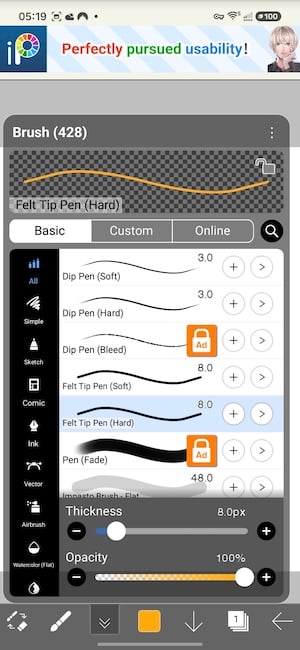
Image: Jessica Santero | WhistleOut
You can use all the basic art tools on this app, including shapes, a bucket tool for filling in color, and blending. You can pick colors from a palette or jump into the color wheel to mix your own perfect hues and shades. I also liked that you can start from a template if you want to work on something specific or need a different image size.
I painted on my Samsung Galaxy S24 FE, which is a pretty small screen for this kind of thing. It was fine, and I didn't feel crowded while using the app on a small screen. I just pinched to zoom in and out whenever I needed to work on the smaller, finer details of my goldfish. It's really easy to use, and if you don't want to pay for premium, the ads aren't all that intrusive.
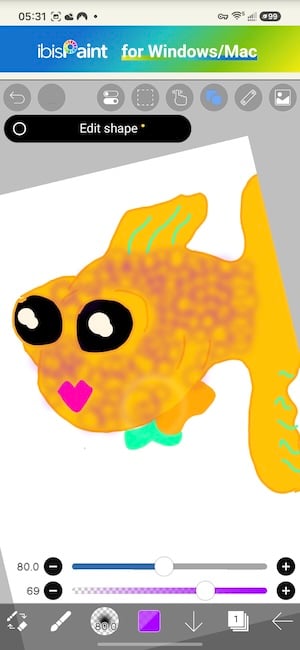
Image: Jessica Santero | WhistleOut
While ibisPaint X is a great app for beginners, serious digital artists will probably want more. If so, consider upgrading for extras like 20GB of cloud storage, a vector tool, and more fonts and filters. You might also want a full-blown art app for a more realistic digital art experience. And while I made it work on a small screen, this app would shine on something bigger, so a foldable phone makes for the best easel on the go.
Save big on your next foldable phone
A bigger screen gives you more room to draw. Carriers like T-Mobile, Verizon, and AT&T are offering trade-in deals on the latest foldable phones.
Check out the best phone trade-in deals and the best cell phone deals this month to see how much you can save.
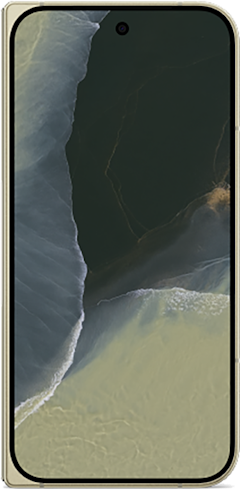
Pixel 11 Pro Fold 5G 256GB
- 8 inch display
- Rear Cameras: 48MP, 10.5MP, 10.8MP
- Front Cameras: 10MP, 10MP
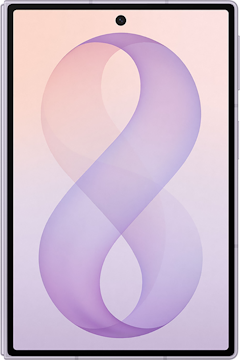
Galaxy Z Fold8 5G 256GB
- 7.6 inch display
- Rear Cameras: 50MP, 50MP
- Front Cameras: 10MP, 10MP
Galaxy Z Fold7 5G 256GB
- 8 inch display
- Rear Cameras: 200MP, 10MP, 12MP
- Front Camera: 10MP

3. MediBang Paint: The best free app for comics and manga
3 out of 5 overall
- Free, with ads
- Available for iOS and Android
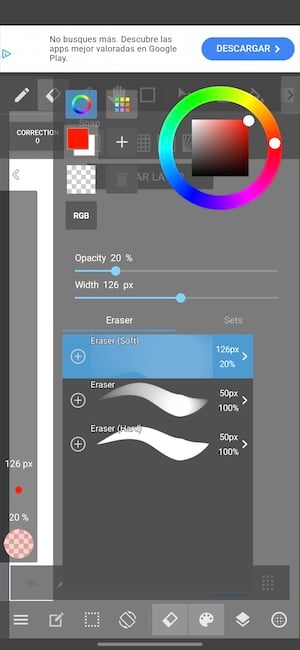
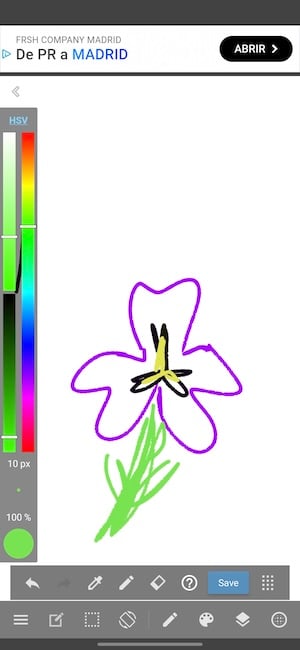
MediBang Paint is another free option if you want to get into digital drawing without spending a cent. You get the general features you'd expect for painting, drawing, erasing, changing colors, adding shapes, and switching between landscape and portrait. It comes with 180 default brushes, plus built-in tools for laying out comic panels. You can also save your work to the cloud with a free MediBang account and pick it back up on another device.
Images: Jessica Santero | WhistleOut
It all works just fine, although it isn't quite as intuitive as ibisPaint X. I tested it on my Samsung Galaxy S24 FE, and even on that small screen, I still managed to make a cute little sketch. If you just want some drawing practice and don't want to spend any money on an app, it's a good starting point.
However, MediBang has very annoying ads. The ad basically takes over your whole screen, drawing included, so you have no choice but to tap it. That sends you off to the App Store to look at another app. That said, it's a free app, so the ad experience is part of the deal. If the ads become too much, MediBang offers a premium plan that adds extra cloud storage and premium brushes without the ad breaks. You can also unlock more than 900 premium brushes temporarily by watching an ad (if they don't drive you nuts).
Why you can trust WhistleOut
.svg)
15+
years of mobile industry experience

900+
published wireless guides

35+
firsthand carrier reviews
We've been around since the birth of the iPhone. Along the way, we've learned how to spot the best deals for your wallet (and your sanity). We spend our days researching informative guides and writing insightful reviews on every kind of wireless plan, distinguishing what matters from what doesn't. We played around with these plans before recommending them, ensuring they're worth your hard-earned money.
Want to know more? Check out how we review every cell phone plan we rank.
Which drawing app should you download?
Is it worth trying all three? Since they're free, absolutely, but here's where I'd start.
- Just want to doodle? Download Sketchbook. It's the simplest of the three and has no ads to work around.
- Want to paint with real depth on your phone? Go with ibisPaint X. It has the most painting tools of the three, and its ads barely get in the way.
- Drawing comics or switching between devices? MediBang Paint is built for panels and cloud saving, as long as you can put up with full-screen ads.
A couple of tips before you start. Turn your phone's brightness up and lock rotation so your canvas doesn't flip mid-stroke. And if finger drawing feels clumsy, a cheap capacitive stylus goes a long way, no tablet required.
 How I evaluated the best drawing apps
I judged each app on how well it works on a phone screen, not a tablet. Here's what I looked for:
- Canvas space: How much of the screen is actually for drawing, and how much is taken up by menus?
- Finger-friendliness: Can you draw well without a stylus?
- Free tier value: How much can you do without paying, and how often do ads interrupt you?
- Tool depth: Brushes, layers, and extras like symmetry or comic panels.
I tested every app on my Samsung Galaxy S24 FE and iPhone 11 and stuck to the free versions.
Best drawing apps for your phone: FAQ
What is the best free drawing app for phones?
Sketchbook is my top pick for the best drawing app for phones. It's the easiest to pick up and has no ads to work around. All three apps on this list are free to download on iPhone and Android.
Do I need a stylus to draw on my phone?
No, all three apps work with your finger. A stylus gives you more control for fine detail, though.
What is the best drawing app for Android?
Sketchbook, ibisPaint X, and MediBang Paint are all available on Android, so the best one depends on whether you want simple sketching, deeper painting tools, or comic features.
Is there a free drawing app like Procreate for Android?
Procreate isn't available on Android, but ibisPaint X is one of the closest free alternatives, with a similar range of brushes and layers.
Jessica Santero
Staff Writer

Find a better phone plan
Thousands of cell phone plans unpacked. All the facts. No surprises.


.png?w=280&h=280&usm=20&usmrad=0.8&fit=crop "Best Cell Phone Deals for October 2026: Get the New iPhone 18 Pro for Free")


.png?w=280&h=280&usm=20&usmrad=0.8&fit=crop "Cell Coverage Near You: Who Has the Best 5G Network?")


