
Image: AltStore
Sideloading is when you install an app on a device from somewhere other than an official app store.
On iPhone, you can do this with a computer connection and free tools like AltStore and Sideloadly. It’s the best way to access niche apps that Apple won’t allow in the App Store, like video game emulators and virtual machines.
However, Apple does place limits on sideloading for users who are not in the paid Developer Program. Apps expire after 7 days unless they're refreshed, and you can only have three sideloaded apps active on your device at once. The process for downloading these apps can also be intimidating if you aren’t comfortable with technology.
Here’s what sideloading is, how to do it on your iPhone with AltStore and Sideloadly, and some of the risks you should keep in mind.
What is sideloading apps on an iPhone?
Sideloading an app on an iPhone is when you install an app from somewhere other than Apple’s official App Store. That usually means installing an .ipa file—the iOS version of an app installer—using a tool on your computer.
People sideload apps for reasons like:
- Getting apps that Apple won't approve in its store, like video game emulators, virtual machines, and niche utilities
- Accessing apps that have been pulled from the App Store due to violations or lack of support
- Downloading early builds, test models, or older versions of an app
Sideloading isn't the same thing as jailbreaking. When you sideload, you’re still downloading apps that have been “signed.” That’s the digital stamp your iPhone checks before it'll run any app, and it’s part of the process developers use in testing. If an app is not signed, it won’t run on an iPhone at all.
Jailbreaking is when you exploit security flaws to modify iOS itself. Sideloading doesn't touch your iPhone’s operating system. If a sideloaded app causes problems, all you have to do is delete the app and your iPhone should go back to normal, just like with standard App Store apps.
If you've used an Android phone, none of this is new. Android has let people install apps from outside the Play Store for years, which is part of why Android home screens can get cluttered so fast.
Is sideloading actually safe? It’s complicated.
Sideloading is reasonably safe if you're careful about where your apps come from. That said, there are potential risks from downloading unapproved apps.
One major issue is that sideloading is a complex process if you aren’t into tech. Here’s a quick question to ask yourself: Have you ever booted into your computer's BIOS or accessed your iPhone’s Recovery Mode? If you have no idea what I’m talking about, you should probably avoid sideloading completely. The process requires you to download unique software onto a computer and enable specific modes in your iPhone’s settings, which might be too difficult for some users to do safely.
Potential dangers of sideloaded apps also include:
- No app review: Apple hasn't checked a sideloaded app for malware or privacy problems. Always stick to well-known projects and trusted sources, and skip downloads from social media accounts, random websites, or blogs.
- Your Apple ID could get compromised: Sideloading tools need your Apple ID to sign apps, so your profile is going into third-party software. If you accidentally download a phishing app or a project from a developer with lax standards, you could lose your account, and hackers may access your iCloud data.
- Early builds may not work correctly: If you’re testing an app or downloading an early build, it may cause issues if the app isn’t properly optimized. App features may not work, and your iPhone may even crash.
The best practice is to create a secondary Apple ID just for sideloading. That way, your main account and iCloud data stay safe if something goes wrong.
Can you sideload apps on iPhone?
Yes, you can sideload apps on an iPhone, though there are a few restrictions depending on your location.
In the US, there's no Apple-approved way to do it, so sideloading relies on external software downloading the apps to your device. Any free Apple ID can sideload apps for personal use, and tools like AltStore and Sideloadly will handle the technical parts for you.
Things work differently in the EU. The Digital Markets Act forces Apple to allow alternative app stores there. EU users can install other marketplaces straight from the web without jumping through extra hoops.
How to sideload apps on iPhone with AltStore and Sideloadly
The two most popular tools for sideloading are AltStore and Sideloadly. Both are free, work on Mac and Windows, and can sign apps with your Apple ID.
What you need before you start
- A Mac or Windows PC with access to iTunes and iCloud.
- A USB cable to connect your iPhone.
- An Apple ID, preferably a second one specifically for sideloading.
- Developer Mode turned on. On iOS 16 and newer, turn it on in Settings > Privacy & Security > Developer Mode. Your iPhone will ask to restart.
- Free storage space. Emulators and other big apps can take up a lot of room. If you're running low, free up storage on your iPhone first.
- The .ipa file for the new app you want, from a source you trust.
AltStore vs. Sideloadly: which should you use?
| AltStore | Sideloadly | |
|---|---|---|
| What it is | An alternative app store on your iPhone, paired with AltServer on your computer |
A desktop app that installs .ipa files directly to your iPhone |
| Works on | Mac and Windows | Mac and Windows |
| Best for | People new to sideloading, especially if you want apps to keep working with minimal effort |
Advanced users who want more control over how apps are signed |
How to sideload apps with AltStore
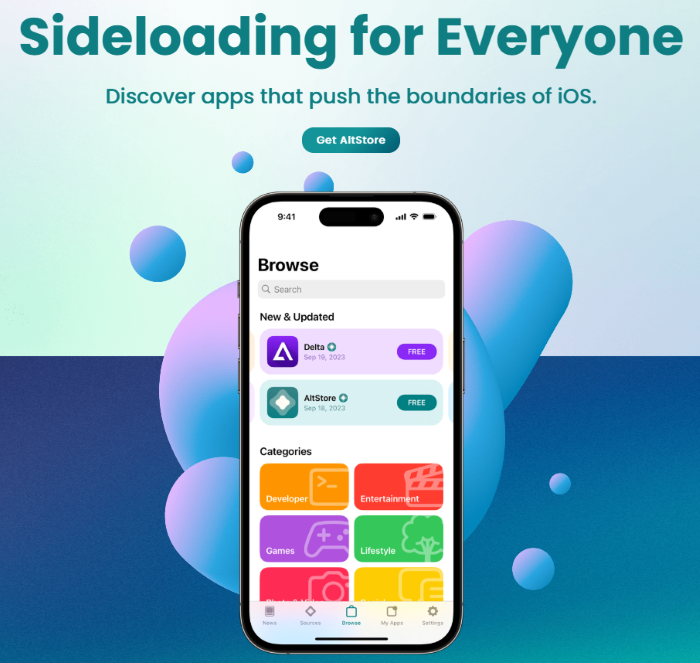
AltStore is an app store-style platform for your iPhone. It works with AltServer, a companion program on your computer that signs and installs apps using your Apple ID. Once it's set up, you can browse app sources, install .ipa files, and refresh apps from your iPhone.
To sideload iPhone apps with AltStore:
- Download AltServer from altstore.io and install it on your computer. On Windows, you may need to run AltServer as an administrator.
- Connect your iPhone to your computer with a USB cable, unlock it, and tap Trust if prompted.
- Turn on Wi-Fi syncing for your iPhone in iTunes (Windows) or Finder (Mac). This lets AltServer refresh your apps wirelessly later.
- Open AltServer, choose Install AltStore, and select your iPhone.
- Enter your Apple ID and password.
- On your iPhone, go to Settings > General > VPN & Device Management, tap your Apple ID, then tap Trust.
- Open AltStore, go to the My Apps tab, tap the + button, and choose your new .ipa file.
How to sideload apps with Sideloadly
Sideloadly is a desktop app for Mac and Windows that installs .ipa files directly to your iPhone. There's no app store on your phone, so everything happens on your computer. It also offers more advanced options, like installing a second copy of an app or adding extra modifications.
To sideload apps with Sideloadly:
- Download Sideloadly from sideloadly.io and install it on your computer.
- Connect your iPhone to your computer with a USB cable, unlock it, and tap Trust if prompted.
- Drag your .ipa file into the Sideloadly window.
- Enter your Apple ID.
- Click Start, then enter your password and any two-factor code.
- On your iPhone, go to Settings > General > VPN & Device Management, tap your Apple ID, then tap Trust.
Sideloadly can also refresh apps automatically. A helper program running in the background on your computer re-signs apps before they expire, as long as your computer is on and your iPhone is on the same Wi-Fi network.
Why does sideloading apps on iPhone have limits?
Apple's free accounts are meant for testing apps, not running them long-term. Plus, Apple doesn’t really want you running unapproved apps on its devices in the first place, so it adds limits to encourage you to use the App Store.
- The 7-day limit: Apps signed with a free Apple ID expire after 7 days. An expired app won't open until it's refreshed from the source.
- The 3-app limit: Only three sideloaded apps can be active on your iPhone at once.
Both AltStore and Sideloadly can refresh apps automatically and extend your seven-day window when they can reach your iPhone. If you miss the window, you'll have to refresh manually by downloading it again. The good news is that refreshing doesn't erase the app's data.
You should also note that if you use AltStore on your iPhone, that counts as one of your three apps, leaving you just two slots for other options. The good news is AltStore will let you deactivate an app if you need space. It’ll also back up its data first so you can reactivate it later.
The way around all of this is joining the Apple Developer Program, which costs $99 per year. Apps signed with a paid account last a full year, and the 3-app limit goes away. That said, most people don’t sideload enough apps to need a paid account.
Does sideloading work with new iOS updates?
Sideloaded apps are impacted by iOS updates, just like your regular apps. However, sideloaded apps are more susceptible to changing APIs and security updates since they rely on unofficial distribution channels, so they can stop working completely. When sideloaded apps and downloaders break due to iOS updates, they may take weeks to fix.
To protect your sideloaded apps from iOS updates, you can:
- Hold off on major updates if you rely on sideloaded apps, at least until your tool confirms support.
- Refresh your apps right before updating, so you get the full 7 days to wait out any problems.
- Update your tools first. Install the latest AltServer or Sideloadly before updating your iPhone.
The big thing to remember is you should not completely avoid iOS updates just to keep sideloaded apps running. iOS updates frequently patch security threats and bugs. You don’t want to risk compromising your entire phone to protect a few unofficial third-party apps.
Sideloading apps to iPhone: FAQ
Can you sideload apps on iPhone?
Yes, in the US you can sideload apps to your iPhone using a free tool like AltStore or Sideloadly and your Apple ID. In the EU, Japan, and Brazil, users can also install official alternative app stores for sideloading.
Will sideloading void my iPhone's warranty?
No, sideloading does not void your iPhone’s warranty. Sideloading doesn't modify iOS or your iPhone's hardware, and deleting the apps should return your phone to normal. That said, Apple may decline to help with problems caused by unauthorized software. Always delete your sideloaded apps first before taking your iPhone in for service.
Is Sideloadly safe?
Sideloadly is mostly safe. It’s a long-running, widely used tool, and it doesn't modify your device’s core iOS. The main risk is privacy threats. It needs your Apple ID to sign apps, and you should only download it from the official site, since fake sites exist to steal your data.
Can you sideload apps on iPhone without a computer?
In the US, you’ll always need a computer at least once for the initial setup. After that, AltStore's Remote AltServer feature or SideStore can install and refresh apps on your iPhone over Wi-Fi.
Max McCaskill
Sr. Staff Writer

Thousands of cell phone plans unpacked. All the facts. No surprises.

Related Articles


Related Topics
iOSPopular Topics
Featured App Reviews iOS News Coverage Device Reviews Device Explainers Carrier Explainers App Roundups T-Mobile


