
Unknown numbers are a coin flip. Half the time the call is a robocall about your car’s extended warranty, and the other half it’s the pharmacy telling you a prescription is ready. AI call screening settles that coin flip for you by answering the call, asking the caller who they are, and showing you their answer before you decide to pick up.
In my ranking of hidden AI phone features, call screening scored a 2 out of 5 on the creep scale and an easy “Yes” on usefulness. Here’s what each version actually says to callers, where your transcripts end up, and the one real downside worth knowing about.
How AI call screening works on Android
Call screening on Android answers calls from numbers that aren’t in your contacts, plays a greeting, and asks the caller for their name and reason for calling. You see a live transcript of the caller’s response on your screen, then decide whether to answer, send a quick reply, or hang up.
Robocalls are still a massive problem in every state, and our robocall epidemic report shows how many of those calls people dodge each month. Most robocallers hang up the moment an AI picks up, which is exactly the point.
Pixel Call Screen: What callers hear
Pixel Call Screen has been around since the Pixel 3, and side-by-side reviews still put Google call screening ahead of every other version because its responses actually react to what the caller says. When Call Screen picks up, the caller hears that you’re using a screening service from Google and will get a copy of the conversation, then gets asked for their name and why they’re calling.
Google’s Call Screen runs entirely on your phone and doesn’t use Wi-Fi or mobile data. You can set it to screen calls automatically by caller type, like suspected spam, first-time callers, or private numbers, so robocalls get handled without your phone ever ringing.
How to turn off Google call screening: Open the Phone app, go to the three-dot menu > Settings > Call Assist > Call Screen, and set each caller type to Ring.
Samsung call screening: What callers hear
Samsung AI call screening arrived with the Galaxy S26 series, and Samsung is bringing it to some older Galaxy phones through One UI 8.5. Samsung’s version plays a voice greeting, asks the caller who they are and why they’re calling, and shows the conversation on your screen in real time. After checking the caller’s answer, you can switch to Text call and have the AI speak for you if you can’t talk.
Samsung’s call screening also runs on the phone, and you can turn on an automatic mode that screens suspected spam and unknown numbers before they ring through.
How to turn off Samsung call screening: Open the Phone app, go to Settings > Call assist > Call screening, and switch it off.
How does Screen Calls work on an iPhone?
Apple added call screening to the iPhone with iOS 26, and it works on every iPhone that runs the update. When an unknown number calls, your iPhone answers silently, asks the caller for their name and reason for calling, and only rings once they respond, with their answer shown on screen.
Turn it on in Settings > Apps > Phone > Screen Unknown Callers > Ask Reason for Calling. Our look at Apple’s iOS 26 update covers the rest of what changed.
Where call screening transcripts are stored
Pixel and Samsung both store call screening transcripts on your phone, not in the cloud. Google says screened calls aren’t saved to your Google Account, and you’ll find each transcript in the Phone app’s call history, along with an audio recording if you turned on Save Call Screen audio. Samsung saves a recording and transcript of each screened call, which you can open from the Recents tab in the Phone app.
Deleting a transcript works the same way as deleting a call. On a Pixel, long-press the screened call in your history and tap Delete.
The tradeoff: Missing a real call
The one real downside of AI call screening is the occasional legitimate caller who hangs up on a robot. Pharmacies, doctor’s offices, delivery drivers, and your kid’s school all call from numbers you probably haven’t saved, and some of those callers won’t wait for a greeting to finish.
I fixed most of that problem by doing two things: saving the numbers I know will call me, like the pediatrician’s office, and checking my screened calls once a day. If your phone doesn’t support call screening at all, one of the best spam blocker apps can handle the worst offenders.
My verdict is that AI call screening is worth turning on for almost everyone. The time it saves on robocalls far outweighs the occasional missed call, especially once your important numbers are saved.
Looking for a phone with the latest AI features?
The newest Android flagships come with the most complete set of AI tools, including Gemini task automation and AI call screening, which older phones don’t get. Here are some of the best AI-ready Android phones available right now.
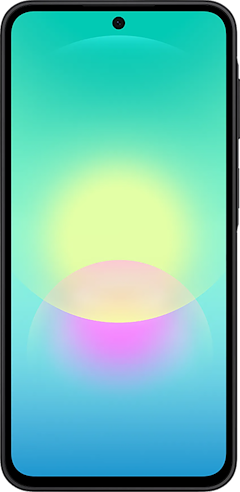
Galaxy A27 5G 128GB
- 6.7 inch display
- Rear Cameras: 50MP, 5MP, 2MP
- Front Camera: 12MP
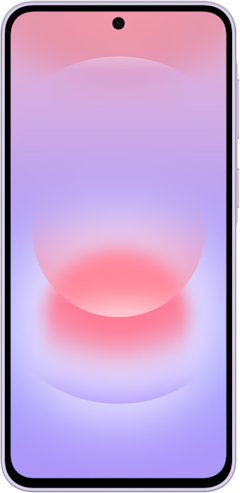
Galaxy A37 5G 128GB
- 6.7 inch display
- Rear Cameras: 50MP, 8MP, 5MP
- Front Camera: 12MP
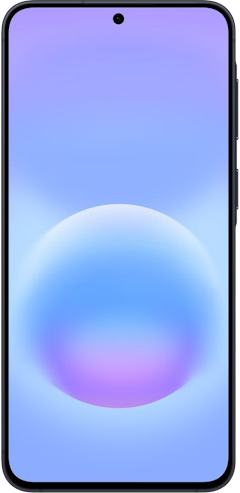
Galaxy A57 5G 128GB
- 6.7 inch display
- Rear Cameras: 50MP, 12MP, 5MP
- Front Camera: 12MP
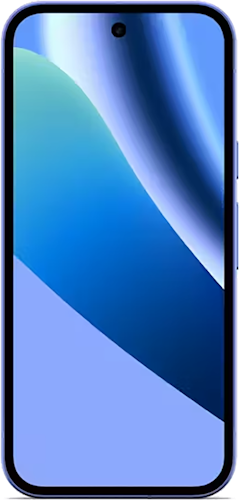
Pixel 10a 128GB
- 6.3 inch display
- Rear Cameras: 48MP, 13MP
- Front Camera: 13MP

AI call screening: FAQ
How does call screening work on an iPhone?
Call screening on iPhone answers calls from unknown numbers silently, asks the caller for their name and reason for calling, and only rings your phone once the caller responds. You can turn it on in Settings > Apps > Phone > Screen Unknown Callers > Ask Reason for Calling on any iPhone running iOS 26 or newer.
Does Samsung have call screening like Pixel?
Samsung has call screening like Pixel on the Galaxy S26 series, and Samsung is bringing it to some older Galaxy phones through One UI 8.5. Samsung’s version asks callers for their name and reason for calling and shows a live transcript, but side-by-side reviews still rate Pixel’s Call Screen as the smarter of the two.
Where are call screening transcripts stored?
Call screening transcripts on Pixel and Samsung phones are stored on the phone itself, in the Phone app’s call history. Google says Pixel’s screened calls aren’t saved to your Google Account, and you can delete any transcript by deleting the screened call.
Can call screening make you miss important calls?
Call screening can make you miss important calls when a legitimate caller, like a pharmacy or doctor’s office, hangs up before answering the AI. Saving numbers you expect to hear from and checking your screened calls daily helps you avoid missing any calls you do want to answer.
Scott Houghton
Jr. Staff Writer

Thousands of cell phone plans unpacked. All the facts. No surprises.


