
Your phone's AI can now open DoorDash, fill a cart, and get all the way to checkout while you watch. That sounds like a recipe for a surprise $60 pad thai order, but the reality is less dramatic. Every AI agent on Android today stops before payment and hands the final tap back to you.
In my ranking of hidden AI phone features, AI agents scored a 4 out of 5 on the creep scale and a "Not yet" on usefulness. Here's what these agents can actually do with your money, and how to lock things down anyway.
What can Gemini AI agents actually do?
Gemini AI agents come in a few different forms, and each one has a different level of access:
- Gemini task automation: Available on the Galaxy S26 and Pixel 10 series, task automation opens apps like DoorDash, Uber Eats, Uber, Lyft, and Starbucks and completes the order inside them.
- Agentic checkout: Gemini can buy eligible products from participating US retailers directly inside the Gemini app, using the payment methods saved in Google Pay.
- Gemini Agent: Google's Gemini agent mode handles multi-step tasks like organizing your inbox, booking reservations, and placing orders, and it's limited to US subscribers on the Google AI Ultra plan.
- Gemini Spark: Google's newest personal AI agent runs in the background around the clock, and it's in beta for Ultra subscribers on the $100/month plan.
What still needs your approval
The good news is that none of these agents can complete a purchase without your confirmation.
Task automation stops right before payment and sends you a notification to review the order. Gemini Agent asks you to confirm before sending emails or making purchases, and you can take over at any point. Google says Spark asks your permission before spending money or sending an email for you.
Gemini features and purchase confirmation
| Gemini feature | Can it reach checkout? | Does it need your confirmation to pay? |
|---|---|---|
| Task automation | Yes | Yes |
| Agentic checkout | Yes | Yes |
| Gemini Agent (Ultra) | Yes | Yes |
| Gemini Spark (Ultra beta) | Yes | Yes |
My skepticism here is mostly practical. Reordering last week's dinner in DoorDash already takes about three taps, so an agent that fills the cart and then hands the phone back to you saves less time than the demos suggest.
What an app connection actually grants
Connecting an app to Gemini doesn't hand Gemini your credit card number. Gemini works inside the app using your logged-in account, so it can only use the payment methods you've already saved there. The real risk isn't the AI. It's the one-tap checkout you set up years ago and forgot about.
Saved cards in delivery apps, Google Pay autofill, and one-tap in-app purchases all made spending easier long before AI showed up. An AI agent just follows the same path, which is why locking down your existing checkout settings matters more than anything you change in Gemini. If you have a Galaxy, our look at One UI 9's new features covers what Samsung is adding next.
Can Siri make purchases or send money?
Siri can send money through Apple Cash when you ask, but every payment requires Face ID, Touch ID, or your passcode before it goes through. With Siri AI in iOS 27, Siri can also take actions inside apps that support it, and Apple says sensitive actions like approving a payment may require confirmation. To limit which apps Siri can act in, go to Settings > Siri > App Access.
For App Store charges, go to Settings > your name > Media & Purchases > Password Settings and set purchases to Always Require. Our Apple Intelligence guide covers the rest of Apple's AI features.
How to prevent AI purchases on your phone
These settings protect you from AI agents, accidental taps, and kids who've figured out your phone's passcode:
- Require authentication for Google Play purchases: Open the Play Store and go to your profile picture > Settings > Authentication > Require authentication for purchases, then choose "For all purchases through Google Play on this device."
- Turn off Gemini task automation: Open the Gemini app settings and turn off screen automation if you enabled it.
- Disconnect apps you don't use with Gemini: In the Gemini app, go to your profile picture > Apps and switch off any connections you don't need.
The Google Play setting is the one I'd change today, AI or not. A kid with a game and a saved card can do far more damage than Gemini likely will.
Looking for a phone with the latest AI features?
The newest Android flagships come with the most complete set of AI tools, including Gemini task automation and AI call screening, which older phones don't get. Here are some of the best AI-ready Android phones available right now.
Galaxy A27 5G 128GB
- 6.7 inch display
- Rear Cameras: 50MP, 5MP, 2MP
- Front Camera: 12MP
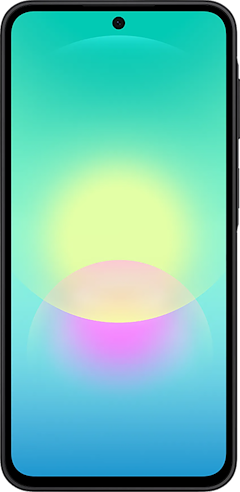
Galaxy A37 5G 128GB
- 6.7 inch display
- Rear Cameras: 50MP, 8MP, 5MP
- Front Camera: 12MP
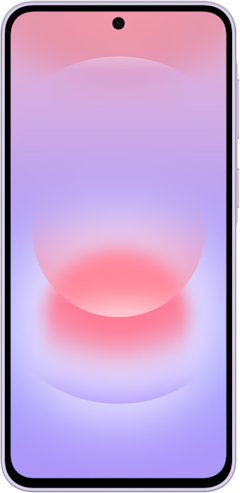
Galaxy A57 5G 128GB
- 6.7 inch display
- Rear Cameras: 50MP, 12MP, 5MP
- Front Camera: 12MP
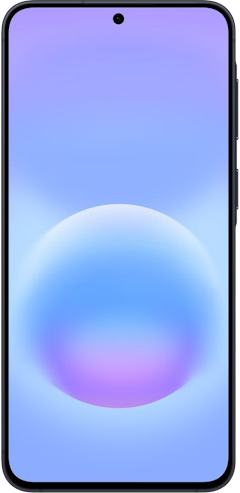
Pixel 10a 128GB
- 6.3 inch display
- Rear Cameras: 48MP, 13MP
- Front Camera: 13MP


Phone AI and your money: FAQ
Can Gemini buy things for me?
Gemini can buy things for you through agentic checkout, task automation, and Gemini Agent, but every one of those features asks you to confirm before your payment goes through. Gemini uses the payment methods already saved in Google Pay or the app it's working in.
Does Gemini have an agent mode?
Gemini has an agent mode called Gemini Agent, which handles multi-step tasks like organizing emails, booking reservations, and placing orders. Gemini Agent is available to US subscribers on the Google AI Ultra plan, and it asks for confirmation before purchases or sending messages.
Can Siri make purchases or send money?
Siri can send money through Apple Cash and take actions in supported apps with Siri AI in iOS 27, but payments require Face ID, Touch ID, or your passcode before they go through. You can limit which apps Siri can act in under Settings > Siri > App Access.
How do I stop my phone's AI from making purchases?
You can stop your phone's AI from making purchases by requiring authentication for every Google Play purchase, turning off Gemini's screen automation, and disconnecting apps you don't use with Gemini. On an iPhone, set App Store purchases to Always Require and limit Siri's app access in Settings.
Scott Houghton
Jr. Staff Writer

Thousands of cell phone plans unpacked. All the facts. No surprises.


